30-day organic UGC content calendar: a practical template
Plan 30 days of organic UGC with 12 publishing slots, production tasks, evidence checks, and a practical review process. Includes a reusable calendar entry.

An organic UGC content calendar should connect each video to a customer question, a piece of evidence, and one next step. Start with a month you can actually execute: prepare your footage, publish a manageable set of posts, and leave room to learn from what people do after watching.
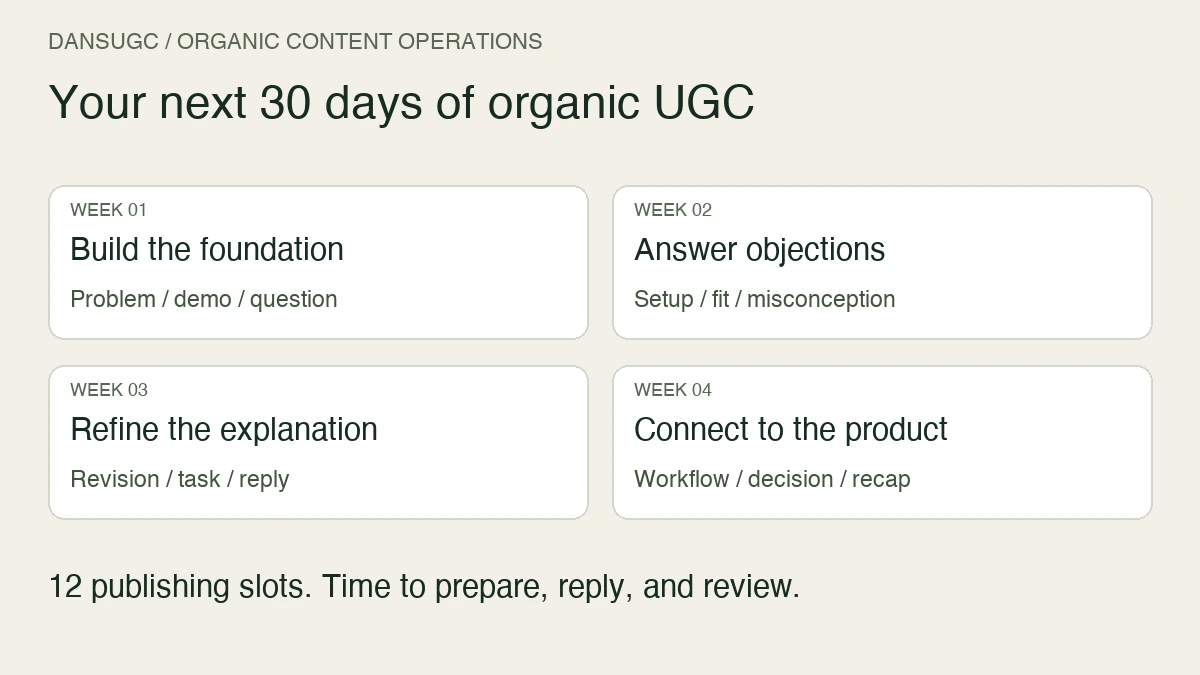
This 30-day template contains 12 publishing slots, not a requirement to post 30 videos. The other days are for production, replies, measurement, and revisions. It is a suggested operating plan, not a tested promise of reach, signups, or revenue.
What goes into an organic UGC content calendar?
Give every post seven fields: audience question, angle, opening clip, product evidence, call to action, destination, and review date. Add an owner and a status so an idea does not get mistaken for a finished video.
A reaction is the opening, not the explanation. The rest of the video needs to make the product useful to the person watching. For the broader workflow, start with our organic UGC guide.
Keep the calendar separate from your footage library. The calendar tells you what to publish and why. The library holds the source clips, permissions, exports, and reusable components. Our UGC asset management guide covers that second job.
Before day one: choose one audience and one next step
Pick a specific use case. “People who want to be more productive” gives you too little direction. “Students turning lecture notes into revision questions” gives you a task you can demonstrate.
That study-app example is hypothetical. Use your own product and actual customer questions when you fill in the calendar.
Choose one primary destination for the month: a relevant product page, a useful free resource, or an appropriate signup flow. The destination should continue the promise made in the video. Do not send someone who wants a worked example to an unrelated pricing pitch.
Finally, define the outcome you care about. A view, a profile visit, a signup, and a paid customer are different events. Record them separately; do not substitute a large view count for missing customer outcomes.
Week one: build the first three posts
The first week establishes a repeatable format. You are looking for clear communication, not a complicated editing system.
- Day 1: Choose the audience, use case, destination, and primary outcome. Write down what you can truthfully demonstrate.
- Day 2: Collect five real questions from support, sales calls, or customer conversations. Remove identifying information before using any material publicly.
- Day 3: Capture product evidence and select reaction clips you are authorized to use. Save source files and permission records together.
- Day 4 — publish: Show the problem. Open with a recognizable situation, then show the task the product helps with. Ask viewers to explore the relevant use case.
- Day 5: Check the published video, captions, profile link, and destination on a phone. Record questions people ask rather than assuming silence means agreement.
- Day 6 — publish: Show one complete product action. Keep the demonstration focused enough that the viewer can explain what happened.
- Day 7 — publish: Answer the most important beginner question. If no comments have arrived, use a genuine question from your existing customer research.
For the hypothetical study app, these posts could show the difficulty of revising long notes, the process of creating practice questions, and what input the app needs. None requires an invented testimonial or a claim about exam results.
Week two: answer objections with evidence
Use the second week to make the offer easier to understand. Do not jump to a new audience just because one post received few views.
- Day 8: Review week-one posts using the same observation window where possible. Note sample sizes and missing data.
- Day 9: Choose three objections you can answer honestly: setup effort, suitability, limitations, or how the workflow differs from the current alternative.
- Day 10 — publish: Demonstrate the setup. Show the actual steps rather than describing the product as effortless.
- Day 11: Prepare a second example using a different legitimate input. Check that the output supports the claim you want to make.
- Day 12 — publish: Show who the product fits and where it is not a fit. A useful limitation can qualify the audience more clearly than a broad promise.
- Day 13: Review comments and destination activity. Separate questions about the content from questions about the product.
- Day 14 — publish: Explain one common misconception with a short demonstration or a sourced answer.
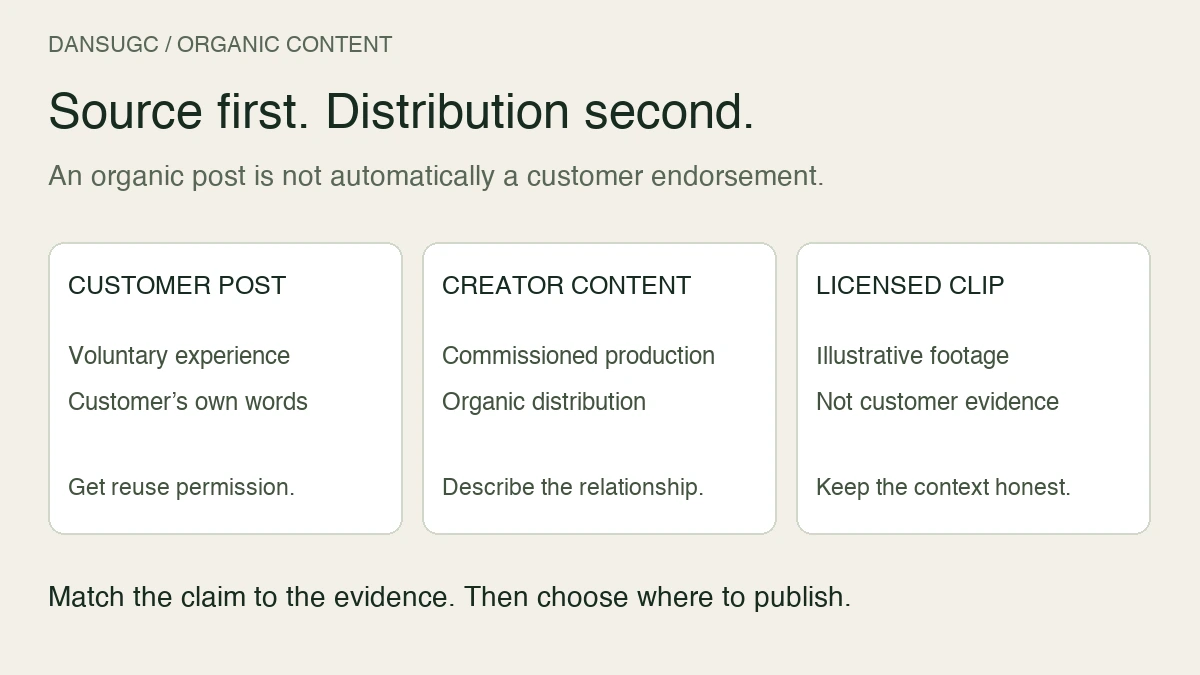
If you need help choosing the opening footage, review our UGC video examples. Match the reaction to the situation; do not imply that a performer is a customer endorsing your product when that is not true.
Week three: repeat a useful angle, not an unsupported claim
Now you have enough material to identify practical lessons: which explanations were clear, which questions recur, and which destinations work correctly. You may still have too little data to identify a performance winner.
- Day 15: Choose an angle worth revisiting based on relevant questions, observed actions, or a clear communication problem. Write down your reason.
- Day 16: Change one major element: the opening, the example, or the explanation. Keep the other elements stable enough to understand the difference.
- Day 17 — publish: Release the revised version. Label it in your internal calendar so you can find it later.
- Day 18: Prepare a walkthrough of a second task for the same audience. Avoid expanding into an unrelated use case just to fill a slot.
- Day 19 — publish: Show that second task from input to output, including any important constraint.
- Day 20: Select a real recurring question for a reply video. If you quote a person, check permission and remove private details.
- Day 21 — publish: Answer the question directly, then show the relevant evidence.
Changing one element makes your notes more interpretable, but organic posts are not a controlled experiment. Timing, distribution, and audience composition can differ. Treat comparisons as clues, not proof that a particular reaction caused a result.
Week four: connect attention to the product
The last week should make the next step clearer and produce a better calendar for the following month.
- Day 22: Review the journey from post to destination. Check that the landing page answers the question the video creates.
- Day 23: Prepare a concise end-to-end example using a real product workflow.
- Day 24 — publish: Show that workflow and invite viewers to try the relevant next step. Avoid promising an outcome you cannot substantiate.
- Day 25: Check available downstream data. Record signups and customer outcomes separately from platform metrics, and mark unattributed activity as unknown.
- Day 26 — publish: Address the biggest remaining decision question, such as what someone needs before starting.
- Day 27: Prepare a revised version of the clearest explanation from the month. Keep the useful substance rather than copying only its opening.
- Day 28 — publish: Release that improved explanation with an accurate, specific call to action.
- Day 29: Review each post at comparable ages. Record what is still too early or too small to judge.
- Day 30: Build next month's backlog: continue useful angles, revise unclear ones, and retire ideas that do not serve the audience.
Copy this calendar entry for each video
- Post ID and planned publication date.
- Audience question and intended use case.
- Opening clip and source file.
- Product demonstration or other supporting evidence.
- Permission and factual checks.
- One call to action and destination URL.
- Owner, production status, and final export location.
- Actual publication URL and date.
- Review date, observation window, results, and next decision.
Use campaign parameters where your links and analytics support them. A shared profile link may identify a platform or campaign without identifying the individual video that prompted the visit. Do not claim post-level attribution when the available data only supports channel-level attribution.
How to review the month without chasing views
Start with execution: did the video render correctly, did the link work, and did the destination match the message? Then examine attention and engagement. Finally, look for the customer actions you defined before publishing.
Keep an “unknown” column. Missing attribution, limited reach, and different observation windows are reasons to qualify a conclusion, not to fill the gap with a success story.
If people watch but do not take the next step, inspect the message and journey before ordering more footage. If viewers repeatedly misunderstand the product, improve the demonstration. If production is the bottleneck, reduce the schedule to something your team can complete consistently.
For capacity planning beyond this starter schedule, see our guide to how many UGC creatives to produce per month. That guide discusses a different planning problem; its volume considerations are not a requirement for this organic calendar.
Frequently asked questions
Does a 30-day UGC calendar require daily posting?
No. This template has 12 publishing slots plus preparation and review days. Choose a cadence that leaves time for useful demonstrations and follow-up. The calendar is an operating tool, not a platform requirement.
Can I reuse the same reaction clip?
You can plan multiple edits around an authorized asset when its usage terms allow it. Make each video useful through its question, demonstration, and context; changing a caption alone does not necessarily create a new explanation.
Should every organic UGC video sell the product?
Every post should have a purpose, but that purpose can be explaining a task or answering a question. Use a commercial next step when it fits the content, rather than attaching an unrelated sales pitch to every video.
Where can I find reaction clips for this calendar?
Explore the DansUGC reaction clip library, then choose footage that fits the opening situation. Review the current offer and usage terms before downloading. Bring the product evidence and explanation yourself: the reaction gives you a starting point, not a finished customer story.
Ready to get UGC videos for your brand?
Real human creators, 48-hour delivery, full commercial rights. Starting at $9/video.