ReelClaw by DansUGC

Viral UGC ads, made by your coding agent

ReelClaw lets Claude Code, Codex or claude.ai make short-form ads with real human creators from the DansUGC library of 5,000+ clips. Your agent reads your repo, picks reactions, writes the hooks, edits with TikTok-native templates and checks its own work.

  • Included in Growth & Scale
  • Browser login, no API key
  • Editing and rendering included

Works in

  • Claude Code
  • Codex
  • claude.ai
  • Any MCP client
claude · ~/studyplan

Example ReelClaw session in Claude Code: the agent reads the repo, writes a brief, picks studio mode, checks the account, finds real creator reactions, writes hooks, quotes $33.00 for 3 new reactions and waits for a yes, renders 5 reels locally, checks the frames, and saves 5 ads.

Illustrative studio-mode session. Your agent always shows the real quote first.

The library

5,000+ real human reactions

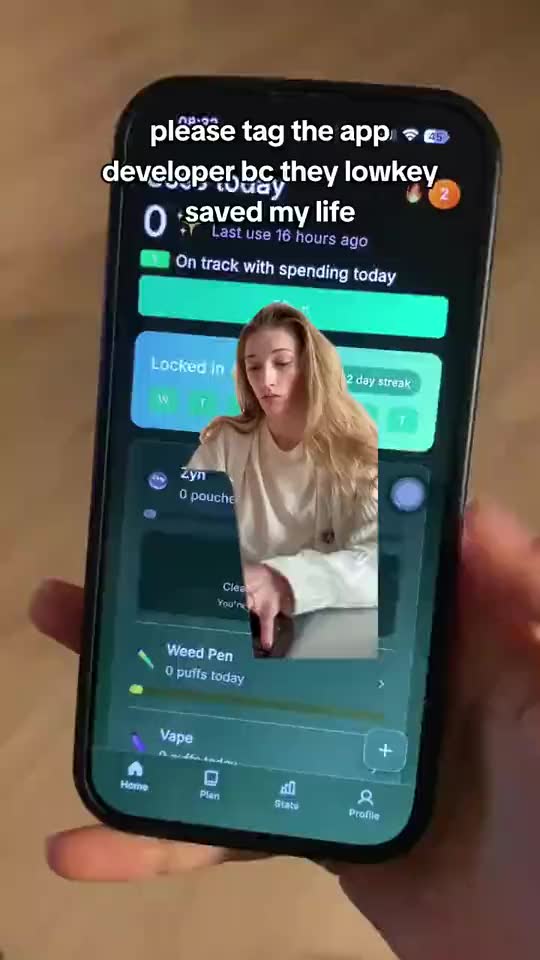
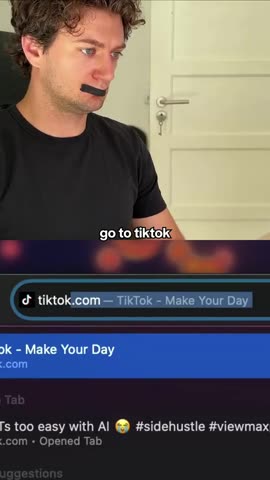
Every hook opens on a real creator. Your agent picks the reaction that fits your product, never an AI face.

Made for TikTok Reels

After the render

From your agent to the For You page

Finished reels go straight into DansUGC Posting, which schedules them to TikTok and Instagram. Watch the ones that take off, then put ad budget behind the winner so it reaches far more people than it would on its own.

dansugc · posting + ads · simulation

Stage: Render. 0 simulated views.

rendering 01_reaction_demo0%
Scheduled · Tue 7:30 PM
FollowingFor You
Y+0000

@yourappSponsored

i told the AI to build me a portfolio and it actually did

original sound · yourapp

Rendering 3 reels

reelclaw_render
  • 01_reaction_demo.mp4

    0%

  • 02_no_yapping.mp4

    0%

  • 03_greenscreen_reaction.mp4

    0%

→ reelclaw-output/ · batch opened in your DansUGC dashboard

Views
0
Likes
0
Followers
+0
Ad spend
$0
BoostedNever boosted

waiting for the first post…

boost onfor you page
Day 0Day 7

Simulation with illustrative numbers. Real results depend on your product, your hooks and your budget.

How it works

One loop, from your repo to finished ads

You talk to your agent like you would a growth hire. It does the legwork and stops at every point where money or taste is involved.

  1. Connect

    Install the plugin or add the MCP server, then log in to DansUGC once in the browser. No API key to paste.

    /mcp → Authenticate

  2. Brief from your repo

    The agent reads your README, package.json, store listing and landing copy, then shows you a short brief: what it is, who it's for, the pain, the aha moment, real proof. It never invents claims. It also finds your demo recording.

    README · package.json · demo.mp4

  3. Research real winnersOptional

    TikTok and Instagram searches for viral examples to borrow hook structures from, never the text. $0.02 per query, only when it succeeds, and the agent says how many it plans first.

    tiktok_search_videos · instagram_search_reels

  4. Pick reactions

    Real creator reactions from the DansUGC library. In volume mode the engine matches them and you review; in studio mode the agent shortlists clips and compares previews.

    search_videos

  5. Write hooks

    Lowercase, under 80 characters, specific to the pain or the aha, with the emotion matched to the reaction. You see them in a table and can rewrite any of them.

    hook · format · emotion

  6. Render

    Volume mode renders many variations on DansUGC servers. Studio mode edits locally with HyperFrames templates. Either way you get the exact price first, and nothing renders or is bought until you say yes.

    reelclaw_quote → reelclaw_render

  7. Self-QA

    In studio mode the agent pulls frames from every render and checks the font, the safe zone, hook timing, the cut and the audio, then fixes and re-renders, up to three passes.

    qa-frames · contact sheet

  8. Download or post

    MP4s land in ./reelclaw-output/ and the batch opens in your DansUGC dashboard. Ask and the agent can publish through DansUGC Posting.

    reelclaw-output/ · create_post

Two modes

Volume when you need options. Studio when one has to be perfect.

The agent picks from what you ask: “10 ads” means volume, “3 polished ads” or “move the caption up” means studio. If it's unclear, it asks once. Pricing is the same in both.

Volume

Rendered on DansUGC

Many variations, fast. Your agent drives the hosted ReelClaw engine and DansUGC renders the reels.

Best for
6–60 variations, testing many hooks
Renders on
DansUGC servers
Needs
Nothing local
You control
Hooks, reactions, music
Quality check
You review the files

Studio

Edited on your machine

1–5 polished ads. Your agent edits locally with HyperFrames templates, TikTok Sans included, and looks at the frames before handing them over.

Best for
Polished ads, specific edits, your own footage
Renders on
Your machine (HyperFrames + headless Chrome)
Needs
Node 22+ and ffmpeg
You control
Trims, cut timing, caption text, position and style, layout
Quality check
Agent checks frames and re-renders, up to 3 passes

Studio templates

Real renders from the open-source templates.

reelclaw-templates on GitHub
reaction_demo

Reaction and hook, hard cut to your demo. The default for app ads.

no_yapping

Hook intro, then a split-screen tutorial with step captions.

greenscreen_reaction

The creator cut out of their background, over your video.

Install

Install in about a minute

Pick your client, paste a couple of lines, log in with your DansUGC account in the browser. No API key. Needs a Growth or Scale plan.

MCP server

The toolbox

Connects your agent to DansUGC: the clip library, purchases, research, rendering, posting and your teams.

Skill

The playbook

Teaches your agent how to make ads that perform: the brief, hooks, reaction choice, templates and the QA loop.

The plugin

Installs both in one step, in Claude Code and Codex.

One plugin installs both halves: the DansUGC MCP server and the ReelClaw skill, plus three slash commands.

  1. 1

    Install the plugin

    Type these inside a Claude Code session.

    claude code
    /plugin marketplace add dansugc/reelclaw
    /plugin install reelclaw@dansugc
  2. 2

    Log in to DansUGC

    Run /mcp, select plugin:reelclaw:dansugc and choose Authenticate. Log in with your DansUGC account in the browser tab that opens.

  3. 3

    Ask for ads

    Open your product's repo and ask. You see the brief, the hooks, the reactions and the price before anything is bought or rendered.

    prompt
    Make 10 UGC ads for this app with DansUGC ReelClaw. Use the demo in ./demo.mp4.

Or use the slash commands

  • /reelclaw:new 10 ./demo.mp4 gen-z, deadpanPicks the mode for you
  • /reelclaw:studio 3 polished ads with ./demo.mp4, snapchat-style captionsStudio mode, edited locally
  • /reelclaw:statusCheck and download batches

The Codex plugin bundles the same ReelClaw skill and DansUGC MCP server.

  1. 1

    Install the plugin and log in

    Run these in your terminal. codex mcp login dansugc opens the browser so you can log in to your DansUGC account.

    terminal
    codex plugin marketplace add dansugc/reelclaw
    codex plugin add reelclaw@dansugc
    codex mcp login dansugc
  2. 2

    Ask for ads

    Open your product's repo and ask. You see the brief, the hooks, the reactions and the price before anything is bought or rendered.

    codex
    $reelclaw-ads Make 10 UGC ads for this app. Use the demo in ./demo.mp4.

Start a new Codex session after installing. Invoke the skill with $reelclaw-ads.

A small POSIX sh script copies the skill into ~/.agents/skills/reelclaw-ads and adds the dansugc MCP server if it isn't configured yet. Safe to run twice.

  1. 1

    Run the installer, then log in

    In your terminal. No sudo needed.

    terminal
    curl -fsSL https://raw.githubusercontent.com/dansugc/reelclaw/main/codex/install.sh | sh
    codex mcp login dansugc
  2. 2

    Ask for ads

    Open your product's repo and ask. You see the brief, the hooks, the reactions and the price before anything is bought or rendered.

    codex
    $reelclaw-ads Make 10 UGC ads for this app. Use the demo in ./demo.mp4.

Add DansUGC as a custom connector in claude.ai or Claude Desktop. The tools work straight away; the ReelClaw skill is optional.

  1. 1

    Add a custom connector

    Go to Customize → Connectors → Add custom connector. Name it DansUGC and paste this URL.

    connector url
    https://dansugc.com/mcp
  2. 2

    Log in

    Connect it and log in with your DansUGC account when the login window opens.

  3. 3

    Optional: add the skill

    For the full ReelClaw playbook, download the reelclaw-ads skill folder, zip it, and upload it under Customize → Skills.

  4. 4

    Ask for ads

    Open your product's repo and ask. You see the brief, the hooks, the reactions and the price before anything is bought or rendered.

    prompt
    Make 10 UGC ads for this app with DansUGC ReelClaw. Use the demo in ./demo.mp4.

Any client that supports remote HTTP MCP servers with OAuth. You get the DansUGC tools; point your agent at the skill for the guided workflow.

  1. 1

    Add the server URL

    Paste it wherever your client adds a remote MCP server.

    server url
    https://dansugc.com/mcp
  2. 2

    Or add it to a JSON config

    For clients that read an mcpServers list. There is no key to add: you log in when prompted.

    mcp.json
    {
      "mcpServers": {
        "dansugc": {
          "type": "http",
          "url": "https://dansugc.com/mcp"
        }
      }
    }
  3. 3

    Optional: load the skill

    Point your agent at the reelclaw-ads SKILL.md for the step-by-step workflow.

Just the tools, without the plugin. You lose the ReelClaw skill and the slash commands.

  1. 1

    Add the server

    Run this in your terminal.

    terminal
    claude mcp add --transport http dansugc https://dansugc.com/mcp
  2. 2

    Log in

    In Claude Code run /mcp, select dansugc and choose Authenticate.

Studio mode needs

Only for local editing. Volume mode needs nothing but your agent.

  • Node.js 22+brew install node or nvm install 22
  • ffmpeg + ffprobebrew install ffmpeg or sudo apt install ffmpeg
  • yt-dlpOptional, only for TikTok/IG/YouTube links as inputs
check your setup
node --version && ffmpeg -version | head -n 1

The first render also downloads HyperFrames and a headless Chrome through npx, once.

Troubleshooting

I set DansUGC up earlier with an API key

The MCP server now uses browser login only, and API keys (dsk_…) are for the REST API. Remove the old server and reconnect: in Claude Code run this, then add the plugin (or the server without --header) and log in with /mcp. In Codex, delete bearer_token_env_var from [mcp_servers.dansugc] in ~/.codex/config.toml and run codex mcp login dansugc.

terminal
claude mcp remove dansugc
My agent says “Not logged in” or has no DansUGC tools

The server isn't authenticated yet. Claude Code: /mcp → plugin:reelclaw:dansugc → Authenticate. Codex: run codex mcp login dansugc, then start a new session.

A tool call timed out

Research can take a while. Ask the agent to run reelclaw_advance_batch again: it resumes where it stopped. The plugin already gives Codex a 120 s tool timeout; if you added the server by hand, put tool_timeout_sec = 120 under [mcp_servers.dansugc].

Try these

Then just ask

Point it at a demo, an audience, or an ad whose style you like. Tap a prompt to copy it.

Teams

Spend the team's credits, not your own

If you're a member of a DansUGC team, your agent can use that team's credits and the team owner's plan discounts. It finds your accounts with list_accounts and passes the team's project_id.

It never switches accounts on its own. Before the first spend on a team, it names the team and the amount and waits for your yes. Clips a team buys belong to the team, so teammates can reuse them.

Pricing

Included in Growth and Scale.

ReelClaw comes with the Growth and Scale plans. On top of your plan you only spend credits on clips you don't own yet and the research you ask for. Every purchase is quoted first, and nothing is charged until you say yes.

Growth or Scale plan
Required
ReelClaw in Claude Code, Codex and claude.ai comes with the Growth and Scale plans. Team members use their team owner's plan.
Editing and rendering
Included
Hooks, reaction matching, overlays, music and rendering, in volume and studio mode.
Reactions you don't own yet
$11 each
Library clips from real creators, bought once. Reactions you already own are reused for free.
Research queries
$0.02 each
TikTok and Instagram searches your agent runs, charged only when they succeed. Optional.

Guardrails

Your agent can't spend without asking

The rules live on the DansUGC side too, so they hold whichever agent is driving.

Real human creators, never AI

Every reaction in the library is a real person. The skill never describes them as anything else.

Nothing spends without your yes

Renders and clip purchases need an explicit yes on the exact price. Change anything after a quote and it quotes again.

Batches land in your dashboard

Everything your agent starts in volume mode also opens in the ReelClaw web app, and the other way around.

Browser login, no keys

You log in with your DansUGC account. No API key in your repo, and DansUGC never receives your code.

Tool reference

What your agent can call

The tools on https://dansugc.com/mcp, grouped. Your client shows the full input schema for each one.

ReelClaw13

Volume mode, rendered on DansUGC. Included with Growth and Scale; new reactions cost credits.

  • reelclaw_optionsFilter values: niches, emotions, genders, creators, collections, packages
  • reelclaw_create_batchStart a batch from your brief, video count, direction, custom hooks and filters
  • reelclaw_advance_batchRun the research stages (product, reactions, hooks) until the batch is ready
  • reelclaw_get_batchBatch status, per-video progress and signed download links
  • reelclaw_list_batchesYour recent batches, shared with the dashboard
  • reelclaw_update_batchRewrite hooks, set music, swap or exclude reactions
  • reelclaw_add_demoUpload a demo video (signed PUT) or import one from a URL
  • reelclaw_manage_demoComplete or remove an uploaded demo
  • reelclaw_quoteExact price before anything renders; needs your explicit yes
  • reelclaw_renderRender against an approved quote
  • reelclaw_resume_batchRetry failed videos or restart a stalled render, no extra charge
  • reelclaw_cancel_videoCancel one rendering video and release its credits
  • reelclaw_get_overlayOverlay state when copying the style of a reference ad
Library4

5,000+ clips from real human creators. Searching is free.

  • search_videosFull-text and semantic search with emotion, gender, age and location filters
  • get_videoOne clip's details, price and preview; download link if you own it
  • purchase_videosTwo-step: a free quote first, then the buy after your yes
  • list_purchasesClips the account owns, with fresh download links
Accounts2

Personal Account and every team you belong to.

  • list_accountsYour accounts, balances, roles and the plan whose discounts apply
  • get_balanceCredit balance and clip spending for one account
Research6

$0.02 per query, charged only when it succeeds.

  • tiktok_search_videosSearch TikTok videos by keyword, with stats
  • tiktok_user_videosTop or latest videos from a TikTok profile
  • tiktok_search_usersFind TikTok creators by keyword
  • instagram_search_reelsSearch Instagram Reels by keyword
  • instagram_user_reelsReels from an Instagram profile
  • scrapecreators_rawAny other ScrapeCreators endpoint
Posting9

Publish to TikTok and Instagram. Needs a posting plan.

  • check_posting_subscriptionPosting plan status and social set usage
  • list_posting_accountsConnected TikTok and Instagram accounts
  • list_social_setsGroups of accounts that publish together
  • create_social_setCreate a new social set
  • get_media_upload_urlShort-lived upload URL for a video or image
  • create_postSchedule or publish a post to connected accounts
  • list_postsScheduled, draft, published or failed posts
  • update_postChange a post's caption, status or time
  • delete_postDelete a post permanently
Open source

Prefer the original DIY skill?

The first ReelClaw skill is still free on GitHub. It assembles reels on your machine with ffmpeg and your own Gemini key, and uses the DansUGC MCP for reactions, research and posting. More knobs, more setup.

README-diy.md
terminal · diy skill
npx skills add dansugc/reelclaw --all

Ship your first batch today

Two lines in Claude Code, one login, one prompt. On Codex, claude.ai or another client? The install guide has you covered.

  • Claude Code
  • Codex
  • claude.ai
  • Any MCP client
claude code
/plugin marketplace add dansugc/reelclaw
/plugin install reelclaw@dansugc