UGC digital asset management: organize clips, rights, and edits
A practical UGC asset register for creators and brands: organize source clips, track approvals, find missing shots, and hand off the right edit.

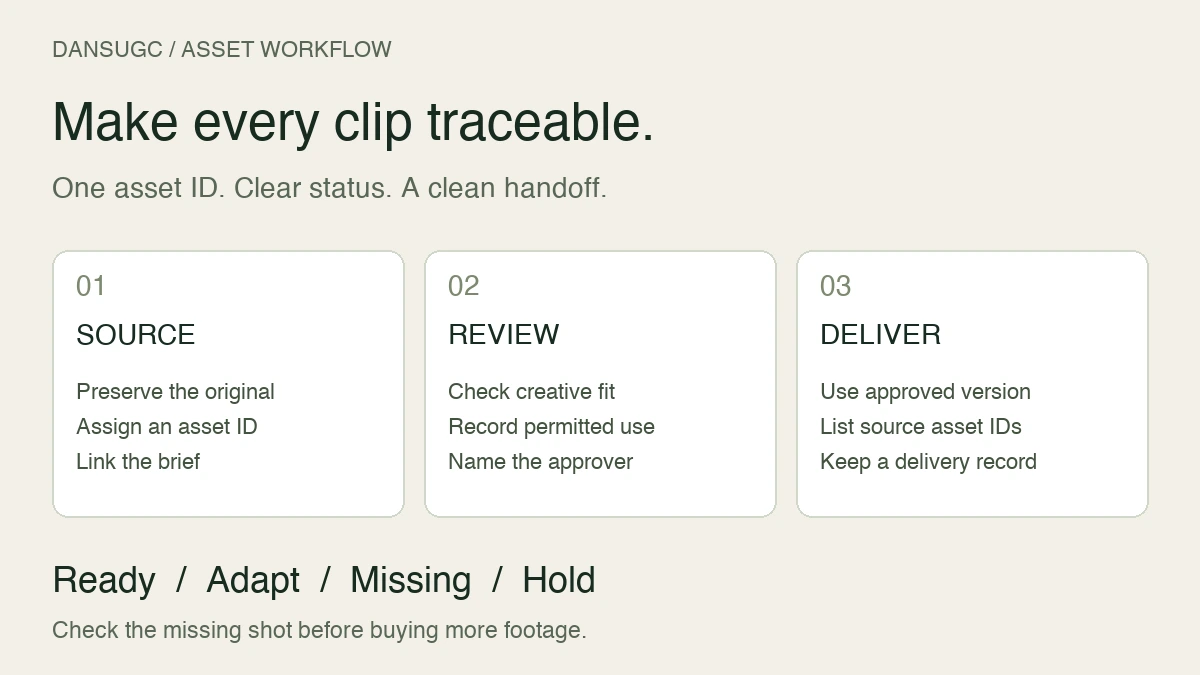
A UGC digital asset management system connects each source clip to its brief, permitted use, approved edits, and delivery location. Start with stable asset IDs, a shared register, and separate folders for originals, work in progress, and approved exports. The goal is simple: an editor should know what a file is, whether it can be used, and which version to publish without asking the person who downloaded it.
Updated September 19, 2026. This is a practical workflow and copyable template, not a claim that a particular storage tool will increase revenue.
More footage is not always the missing piece. Sometimes the shot is already there. Nobody can find it, or nobody knows whether it is approved.
What a UGC asset library should answer
For every asset, answer five questions: What does it show? Where did it come from? What may we use it for? Has someone approved it? Which finished videos contain it?
Keep the distinction between a source clip and a finished video explicit. A facial reaction can be one ingredient in several edits. A finished export contains an arrangement of footage, captions, product screens, sound, and a call to action. Giving both the same file name hides that relationship.
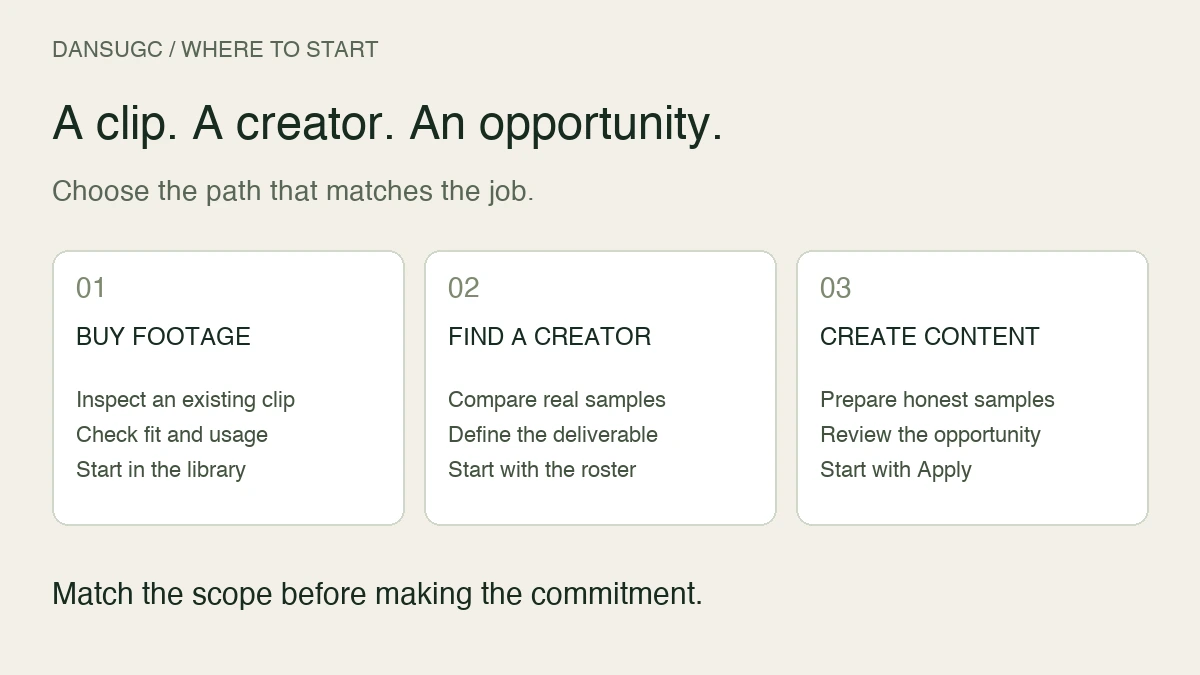
The UGC clips guide explains the source-asset distinction. This page is about managing those assets after you receive them, not choosing a creator or setting a production budget.
Use folders for files and a register for decisions
A folder tree answers where something lives. A register answers what it means. You need both, but they do not have to be complicated.
Create one project root for each client or brand and campaign. Within it, use these folders:
- 01-brief: the approved brief and shot list.
- 02-source: original deliveries, preserved without overwriting.
- 03-working: editable projects and review exports.
- 04-approved: only the exact files approved for delivery or publishing.
- 05-evidence: permission records, approval notes, and relevant agreements.
- 06-archive: superseded versions retained according to your agreed policy.
Restrict access to contracts and private creator information. A public delivery link should not expose the entire project root. Test the recipient's access before sending it, and share only the files that recipient needs.
Do not reorganize every historical project before you can ship the next one. Start with an active campaign, prove the structure works, and migrate older work when it is needed. Preserve a backup before moving or renaming large batches.
Give each asset a stable ID
Use a short asset ID that stays the same even when a descriptive filename changes. A useful naming pattern is project, asset ID, shot role, take, and version.
For example: STUDY-A014-reaction-t02-v01.mp4. STUDY is the project, A014 is the asset, reaction is the role, t02 is the take, and v01 is the file version. This is an illustrative convention, not a DansUGC system requirement.
Name finished edits separately: STUDY-E006-hookB-v03.mp4. The register for E006 then lists A014 and any other source assets used. If A014 needs replacement, you can identify the affected edits instead of opening every project file.
Avoid putting personal contact details or private contract terms in filenames. Filenames travel with downloads. Use the register to link restricted evidence rather than copying sensitive information into every export.
Copy this asset-register template
Create one row per source asset. Use these field names in your existing spreadsheet or database:
- Asset ID: stable reference, such as A014.
- Project and owner: who is responsible for the record.
- Source URL: the original file location, plus supplier or delivery reference.
- Description: what actually appears on screen.
- Shot role: hook, reaction, demonstration, supporting footage, or closing shot.
- Technical notes: orientation, dimensions, duration, audio, and useful trim points.
- Permission evidence: link to the applicable agreement or license record.
- Usage scope: the channels, accounts, territory, term, and restrictions confirmed by that record.
- Review status: received, needs changes, approved, or hold.
- Approved by and date: the person and approval timestamp.
- Used in: IDs of the finished edits containing this asset.
- Review date: when the owner should recheck time-limited use or unresolved questions.
Keep description and performance separate. “Person looks surprised at a phone” describes the footage. “Winning hook” is a performance conclusion and needs a defined test, dates, and evidence. Do not turn an opinion into a permanent asset label.
Treat missing permission information as an open question, not permission granted. The register records what has been confirmed; it does not create or expand rights. Ask the relevant supplier or rights holder when the evidence is unclear.
Separate creative approval from permission approval
A clip can look right and still be on hold. It can also be permitted for a particular use but fail the brief. Track those decisions separately rather than using one vague approved checkbox.
For creative review, check whether the action is visible, the relevant moment survives the intended crop, the take fits the brief, and the editor has enough material to make the planned transition. Mark the exact version reviewed.
For use review, check the proposed placement against the recorded permission. Avoid assuming an organic posting permission covers paid advertising, or that a downloadable file is available for every future project. Keep unresolved assets out of the approved delivery folder until the appropriate owner resolves them.
The UGC drop brief template helps define these expectations before production. The asset register keeps them attached to the resulting files afterward.
Run a missing-shot check before ordering more footage
Open the planned edit and list the job each shot must do. Search the register for that job, not just a creator name or download date.
For a hypothetical study-app edit, your list might be: a frustrated opening reaction, a readable recording of the app solving a specific problem, and a closing visual that leaves room for the next step. This is an example of planning an edit, not a report of campaign results.
For each job, choose one status:
- Ready: a suitable asset exists and the intended use is confirmed.
- Adapt: an existing asset may work after a crop, trim, or other approved edit.
- Missing: no suitable asset is available.
- Hold: footage exists, but approval or permission is unresolved.
If the reaction is ready but the app demonstration is missing, buying more reactions does not finish the video. Brief the demonstration. If everything exists but the project is unassembled, the next task is editing, not sourcing.
Use the clips versus custom UGC comparison when deciding how to fill a genuine gap. Keep that buying decision separate from the register itself.
Build a clean handoff for editors and publishers
An editor needs source IDs, the brief, the intended output, and the approval owner. A publisher needs the final approved export, destination, caption or accompanying copy, and any relevant use limits. Do not send both people an unexplained folder containing every draft.
For each delivery, include a short manifest with the edit ID, version, file link, approval date, intended placement, and outstanding restrictions. If there is an unresolved note, say so before the file is published.
Keep a static preview image for video assets where your publishing system requires one. Check that the preview represents the actual clip and does not conceal text or the important action. A playable video and a usable preview are separate delivery checks.
After handoff, retain the relationship between the approved export and its source files. Do not overwrite the original with a subtitled or cropped derivative. If you need to revise the edit later, that original is the starting point.
Know when the system needs a better tool
Do not upgrade because you crossed an arbitrary number of monthly videos. Upgrade when a specific operating problem persists: people cannot find approved versions, reviewers cannot leave usable feedback, permission reviews are missed, or access controls are too coarse for the work.
Test any prospective tool with one real project. Ask an editor to find the approved take, a reviewer to identify the latest export, and the owner to trace an edit back to its sources. Also check export options and recovery procedures before committing the whole library.
Choose storage capacity from actual file sizes and retention needs. A fixed number of campaigns does not translate reliably into a fixed disk size. Keep independent backups appropriate to your operation and test whether you can restore a sample project.
Frequently asked questions
Is cloud storage the same as a UGC DAM?
Not by itself. Cloud storage holds files. A managed UGC library also records meaning, status, use evidence, and relationships between originals and finished edits. You can start by combining existing storage with a maintained register.
Should one clip have several tags?
Yes, if each tag helps someone find it. Separate what appears in the shot from its proposed role in an edit. Use a short agreed vocabulary so that “reaction” and “react” do not become disconnected categories.
Can creators use the same structure as brands?
Yes. A creator can organize by client and project, while a brand can organize by campaign. Both benefit from stable IDs, preserved originals, explicit approvals, and links to the agreed scope.
What should we measure?
Start with unresolved approvals, missing-shot tasks, and whether another person can locate an approved file without help. If you measure retrieval time or rework, record your own baseline and method. There is no universal time-saving percentage in this guide.
Organize first. Then fill the gap.
Use this workflow on one active project. If the register shows you need reusable source footage, inspect the DansUGC B-roll library. Check that the actual clip and current offer fit your intended use before buying. A library supplies footage; your project still needs an owner, an edit, and an approval decision.
Editorial note: this refresh replaces unsupported income and time-saving claims, arbitrary software-upgrade thresholds, and older third-party pricing. The template and study-app example are proposed workflows, not measured customer outcomes or a claim that DansUGC provides a dedicated DAM product.
Ready to get UGC videos for your brand?
Real human creators, 48-hour delivery, full commercial rights. Starting at $9/video.