8 mistakes brands make with UGC creators—and how to fix them
Fix unclear deliverables, briefs, permissions, feedback, and publishing handoffs before ordering more creator content. Includes a practical pre-order checklist.

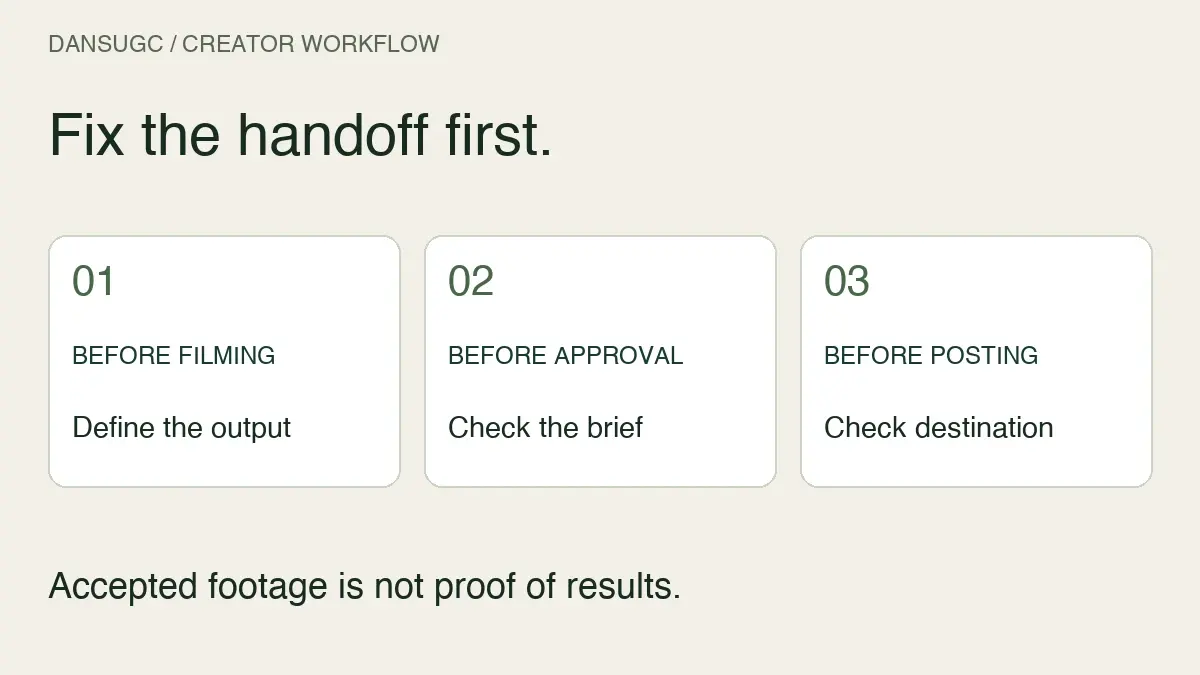
The avoidable mistakes when working with UGC creators start before filming: buying the wrong deliverable, leaving the brief open to interpretation, assuming permissions, and giving feedback without an acceptance rule. Fix those handoffs first. A bigger footage order does not repair an unclear message or a publishing queue that is already blocked.
This guide is a buyer's checklist for commissioning and using creator content. It is not a claim that any particular style, creator, or number of videos will produce sales. The examples are hypothetical so you can adapt the process without mistaking an illustration for a customer result.
1. Buying a creator label instead of a defined job
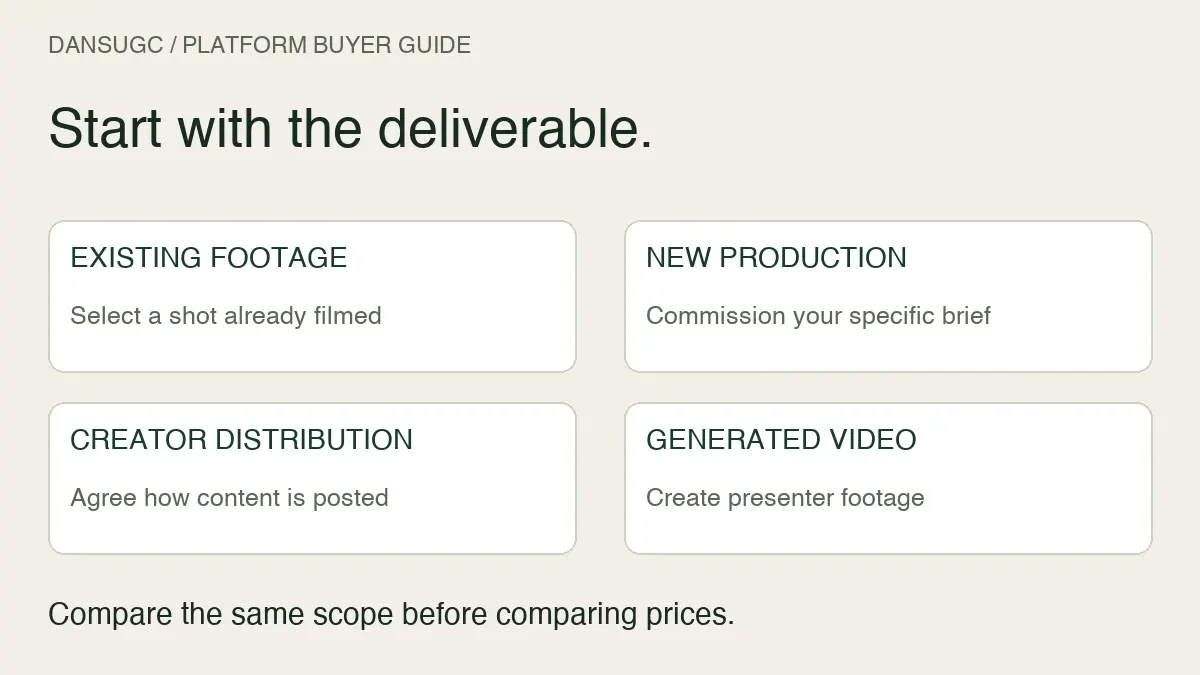
“We need a UGC creator” is a starting point, not a scope of work. Do you need someone to film an action, deliver an edited video, post to their audience, or do all three? Those are different jobs. A creator can also be an influencer; the labels are not mutually exclusive.
Before asking for a quote, write the output in one sentence. For example: “We need two recorded reaction takes for our editor; no creator-account posting is included.” Compare portfolios against that job, rather than assuming follower count proves filming ability or that a content-only quote includes distribution.
Use the UGC creator versus influencer guide if you are still choosing between production and audience access. Here, the decision is narrower: make the responsibility explicit before someone starts work.
2. Calling every file a video
Three raw takes are not the same deliverable as three finished posts. Neither is a single edit exported in three sizes. If the buyer and creator count differently, the delivery can meet one person's expectations and fail the other's.
Separate the order into source footage, edited masters, and format exports. State whether captions, music, product screens, clean versions, and editable project files are included. Do not assume that paying for an edit automatically includes every source file used to make it.
An illustrative order might specify two silent source takes, one edited master assembled by your own editor, and two exports from that master. That is a small production workflow, not five independent creative concepts. Naming each unit also makes a revision request easier to price and schedule.
3. Asking for “authentic” without explaining the scene
“Make it authentic” gives a creator no clear action to perform. Explain what happens on screen, what the viewer needs to understand, and which details cannot change. Then leave room for natural delivery where the wording is not essential.
For a reaction, specify the trigger, emotional change, eyeline, framing, and space the editor needs around the action. For a demonstration, provide access to the correct product version and a list of steps that must be visible. The reaction-video brief template includes a filled example for that particular format.
Avoid the opposite blanket rule, too: scripts are not automatically bad. An exact product name or carefully reviewed claim may need fixed wording. Separate required facts from optional phrasing so the creator knows where they can improvise. Do not invent customer experience to make a script sound more personal.
4. Reviewing taste instead of checking the brief
A clip can look casual and still have unusable audio. It can look polished and still communicate the message clearly. Neither “raw” nor “professional” is a reliable substitute for a review checklist, and neither guarantees performance.
Check the agreed action, intelligibility, framing, current product details, and whether the editor can use the take. Distinguish a factual or technical failure from a preference that was never in the brief.
Give feedback that points to an observable change: “Keep the phone screen visible during the tap; it leaves the frame in this take.” That is more actionable than “make it more engaging.” If the footage meets the agreed scope but you now want a different scene, treat that as a scope discussion rather than disguising it as a correction.
5. Assuming usage and endorsement permissions
Before commissioning, document the intended channels, duration, territories, editing permissions, and any creator-account advertising access. Confirm which permissions the actual agreement includes. A content purchase is not automatically a transfer of every right, and a reusable clip is not necessarily exclusive to your brand.
Also separate a performed reaction from a genuine customer endorsement. Footage of someone looking surprised does not establish that they used your app, saved money, or achieved a result. Do not add a caption that turns a generic performance into an unsupported personal claim.
For US-facing endorsements, the FTC's disclosure guidance says material brand relationships should be disclosed clearly with the endorsement. It also warns against describing product experience that did not happen. Include disclosure review in the publishing handoff; do not leave it to an assumption about the creator or the platform. This checklist is operational guidance, not a substitute for legal review of your agreement or campaign.
6. Commissioning more than you can finish
Ordering a large batch feels productive. It is not useful if nobody can review, edit, and publish it. Plan around the slowest stage of your workflow, not just the number of creators available.
Start with scheduled uses, subtract approved reusable material, and identify the shots still missing. Then check editor and reviewer capacity. The monthly UGC volume worksheet helps turn those inputs into a quantity rather than imposing a universal quota.
If you have no production records, keep the first batch small enough to inspect closely. Record time spent on briefing, revisions, and approval. A pilot can reveal a handoff problem; it does not establish a universal creative acceptance rate or prove which format will sell.
7. Leaving revision ownership and deadlines undefined
Several reviewers can give contradictory instructions even when every comment sounds reasonable. Nominate one person to consolidate feedback and one person to approve delivery. Agree when each review happens and what the revision scope covers before production starts.
Keep feedback attached to a specific version. Record whether the next step is a correction to the agreed brief, a clarification, approval, or a newly requested deliverable. If a product change requires a reshoot, discuss that change openly instead of assuming it belongs inside the original revision allowance.
The handoff should end with an accepted file and a named publishing owner. “Looks good in chat” is not a reliable record when a different teammate later downloads an older cut from the folder.
8. Treating delivery as proof of results
An accepted video proves that an agreed asset was delivered. It does not prove that the message works, that a landing page converts, or that the asset caused a signup. Keep production acceptance and performance evaluation separate.
Record the published version, destination, channel, and question you want to learn from it. Check that the destination and measurement work before interpreting a disappointing outcome. A low-volume post or test may simply leave you without enough information for a confident decision.
When several things change together, describe the result as a combined change rather than giving the creator all the credit or blame. More variations are only useful when you can finish them and learn something from their use. You do not need a predetermined number of creators to make every project legitimate.
A hypothetical handoff, before and after
Imagine a study-app team asks for “three authentic videos by Friday.” The creator sends three silent reactions. The team expected edited demonstrations with captions. Neither side had written down who would capture the app or assemble the final posts.
A clearer request would specify the following:
- Source task: film two silent reactions with the agreed eyeline and uncluttered framing.
- Brand task: supply current app recordings and approved on-screen wording.
- Editing task: the brand's editor assembles one master and the required exports.
- Review task: one named reviewer checks the action and framing against the brief before editing.
- Publishing task: the brand checks permissions, disclosure needs, destination, and final version before posting.
The improvement is a clearer division of work, not a promised conversion lift. If the team later needs a spoken testimonial, that is a different deliverable and must reflect real experience rather than a line invented for the edit.
Pre-order checklist to copy
- Can we describe the exact job without relying on the term “UGC”?
- Have we counted raw takes, edits, and exports separately?
- Does the creator have the product access and reference material needed?
- Are required claims distinguished from flexible wording?
- Are the intended uses and permissions documented?
- Is there one reviewer, an acceptance rule, and a revision process?
- Do we have capacity to finish and publish the files?
- Will the published version and destination be recorded for review?
If a row is unanswered, resolve it before increasing the order. A completed checklist is a useful buying control; it is not a performance certification.
Common questions
What is the first thing a brand should fix when UGC delivery goes wrong?
Compare the delivered file with the agreed brief. Identify the precise mismatch and decide whether it is a correction, an unclear requirement, or newly requested scope. That gives both sides a concrete next step.
Should brands avoid scripting UGC creators?
Not automatically. Fix required facts and actions, then allow natural phrasing where appropriate. Never script an experience the creator did not have or a product result you cannot support.
Is one creator enough for a first project?
It can be enough to assess a defined production task. It is not enough to generalize about every creator or guarantee commercial results. Choose the batch size from the work you can complete and evaluate.
Can ready-made clips replace custom filming?
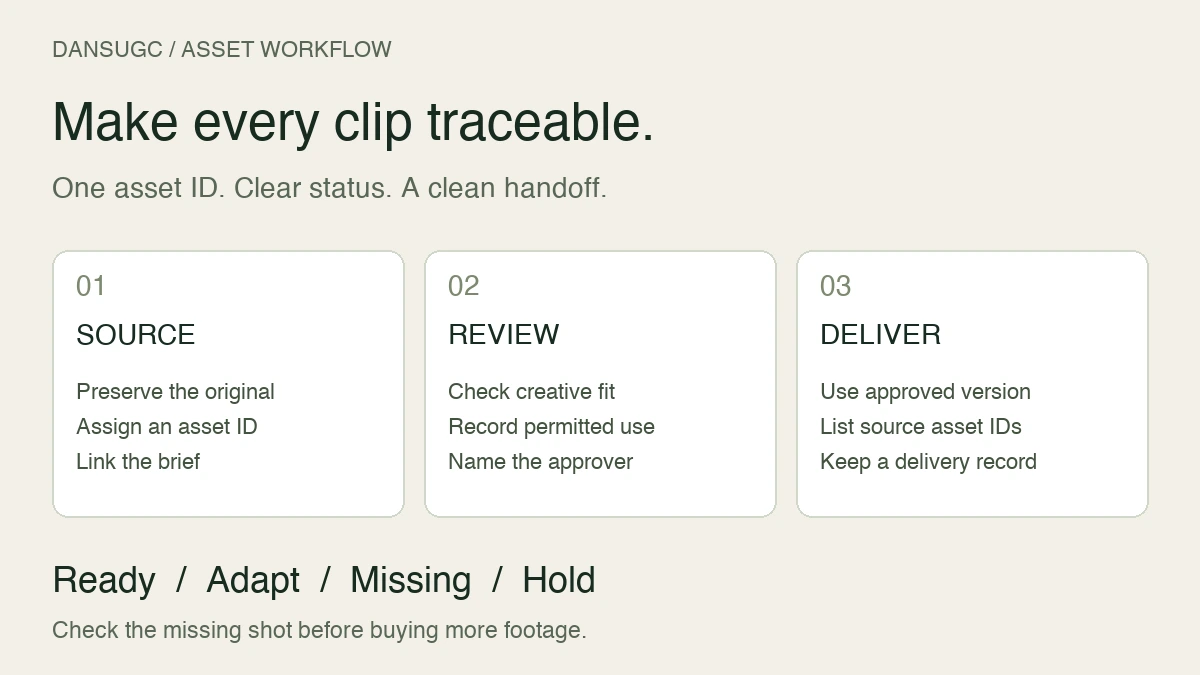
They can fill a shot that already exists and fits your intended use. They cannot show your specific product action if that action is absent from the footage. Identify the missing shot first, then inspect the DansUGC B-roll library to see whether an existing clip fits.
Updated October 10, 2026: replaced unsupported performance generalizations with a commissioning checklist, explicit handoff responsibilities, and a hypothetical example. The diagram illustrates this workflow; it is not customer performance data.
Ready to get UGC videos for your brand?
Real human creators, 48-hour delivery, full commercial rights. Starting at $9/video.