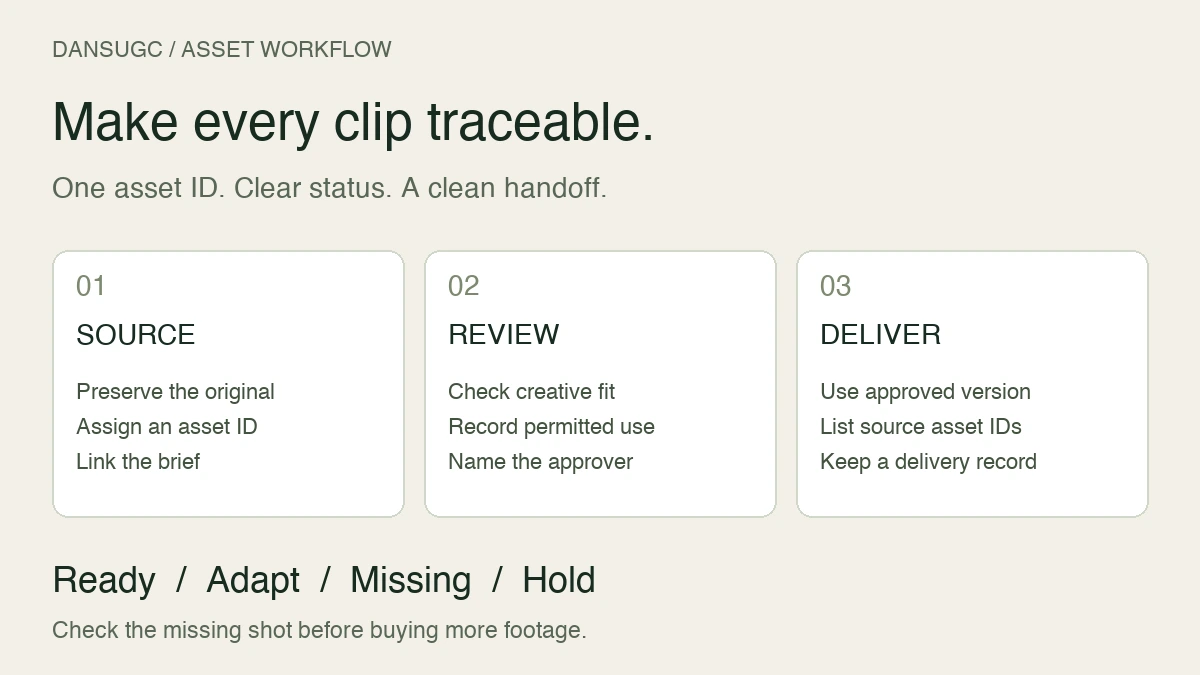
DansUGC models: find creator clips or apply to create
Find the right DansUGC starting point: browse existing B-roll, compare creators for a brief, or apply to create. Clear scope, without income or performance promises.

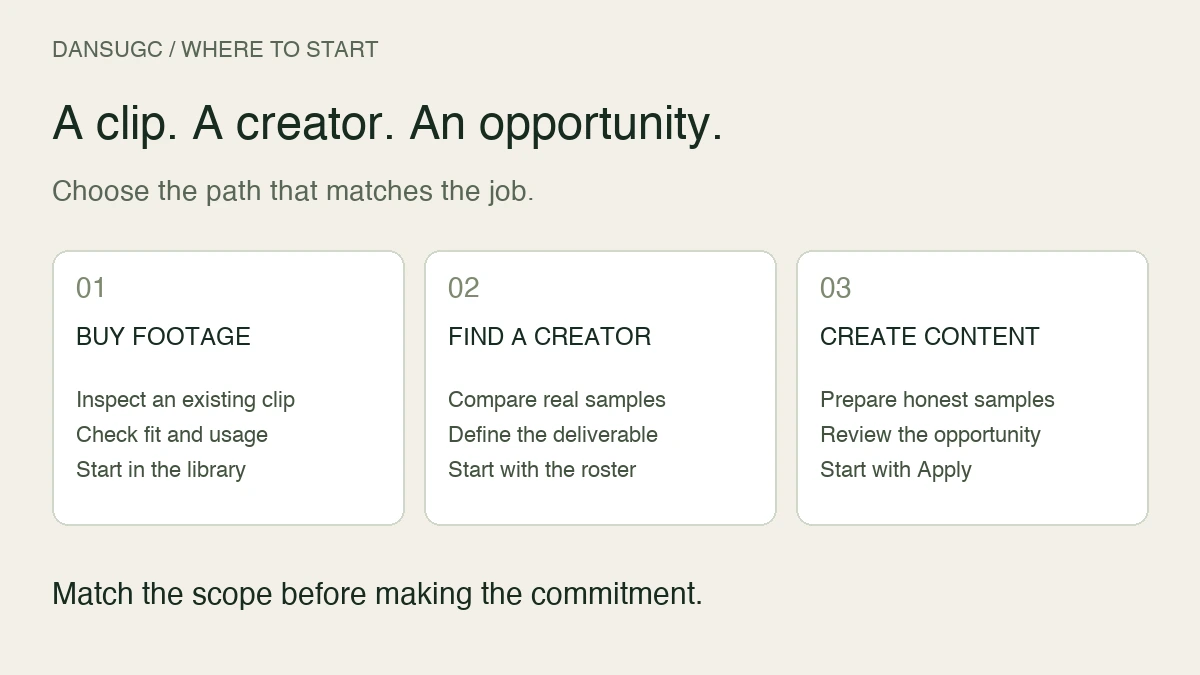
DansUGC models are human creators whose footage brands can use in video content. If you need an existing reaction or B-roll clip, start with the library. If you need to compare people for a specific brief, start with the creator roster. If you want to make content for brands, use the creator application page. Those are three different jobs, and choosing the right starting point saves unnecessary back-and-forth.
Updated September 21, 2026. This guide separates the current buyer and creator paths. It does not promise creator income, a particular delivery time, or advertising results.
Which DansUGC page should you use?
Use the B-roll library when you want to inspect footage that already exists. Use the creator roster when the person, language, setting, or delivery style is part of your brief. Use the creator application page when you want to supply content rather than buy it.
Do not confuse a creator profile with a finished asset. A profile helps you evaluate a person. A clip preview helps you evaluate a particular recorded moment. A custom brief asks for something that may not exist yet.
That distinction is the useful part of the word “model” here. You are choosing someone who can appear in content, not automatically purchasing their audience, a social post, or a complete campaign.
Buying an existing clip
Start with the job the footage needs to do. Is it an opening reaction, a transition, a supporting everyday moment, or the closing shot? Then inspect the actual clip, not only its thumbnail.
The current DansUGC library presents real-human reaction footage and distinguishes individual purchases from subscription access. Its public offer describes non-exclusive commercial licensing. Check the current offer and applicable terms before purchasing; this guide does not replace them.
For your edit, ask whether the important action stays visible after cropping, whether the background fits the scene, and whether there is enough footage before and after the moment you want. A strong expression is not useful if your caption covers it or your product story needs an action the person never performs.
Keep the purchase decision narrow. An existing reaction clip does not establish that its creator used your product. Do not add a first-person product claim that the footage cannot support. If the video needs a specific demonstration or an account of real product experience, resolve that requirement separately.
Choosing a creator for a brief
The public roster provides creator profiles and filters such as country, language, and device. Review relevant samples before deciding whom to approach. Current availability and suitability still need to match your job.
Compare everyone against the same short checklist:
- Delivery: does the sample fit the calm, excited, confused, or matter-of-fact style you need?
- Language: can the creator deliver the required words clearly?
- Setting: can the scene be filmed in an appropriate environment?
- Action: does the brief require a phone, a physical product, another person, or a specific movement?
- Output: are you requesting source footage, spoken takes, or a finished edit?
- Approval: who will review the work, and what would make a take unacceptable?
Treat these as questions to resolve, not capabilities guaranteed by a profile badge. A useful shortlist explains why a creator fits the scene instead of simply collecting attractive thumbnails.
The roster supplies the candidates. Your brief supplies the context. Neither replaces the other.
Write the deliverable before asking for a quote
“Make something viral” is not a deliverable. Describe what the person does, what the viewer sees, and what files you expect to receive.
For example, a hypothetical study-app brief could ask for a silent, confused reaction while looking at a laptop, followed by a separate relieved reaction. The editor would add an actual screen recording of the app. That is a proposed creative structure, not a claim that those shots have produced sales or views.
Before committing, confirm the number of takes, orientation, approximate shot length, spoken lines if any, editing responsibilities, review process, delivery expectations, and intended usage. Do not assume every order includes both raw footage and an edited cut.
Use the reaction-video brief checklist for the detailed production questions. This guide is the starting-point map, not another complete briefing template.
Existing footage or custom production?
Buy existing footage when the recorded moment already fits. Explore custom production when a particular product interaction, script, person, or setting is essential and cannot be assembled from suitable existing material.
A combined approach can also work: existing supporting footage around a specifically commissioned demonstration. Keep a list of what you already have, what an editor can adapt, and what must be filmed.
Do not compare the price of one raw clip with a quote for a finished video as if the scope were identical. Count the editing and approval work that remains. The clips versus custom UGC guide covers that buying decision in more detail.
Applying to become a DansUGC creator
The current application page describes three routes: B-roll, themed content packages, and occasional custom orders. It says creators do not need a large following or to publish the work to their own social accounts. Start with that page rather than relying on older instructions about setting up a storefront.
Prepare examples that show the work you can actually produce. A short sample should make the action easy to see and, when speech is involved, easy to hear. Include a setting and recording approach you can repeat reliably.
Be accurate about your languages, equipment, availability, and experience. If a brief requires something you cannot do, clarify it before accepting. A useful creator relationship depends on repeatable delivery, not a sample that cannot be reproduced.
Applying is not a guarantee of acceptance or orders. A public earnings illustration is not your expected monthly income. Before agreeing to work, understand the applicable compensation, delivery, revision, payment, and usage terms for that opportunity.
What this guide does not promise
There is no verified platform-wide average income or reaction-video performance lift presented here. Your outcome depends on the opportunity and the work. A brand's results also depend on its offer, audience, edit, distribution, and measurement.
For creators, track your own paid work, production time, revisions, and expenses. For buyers, track whether the delivered assets met the brief and what happened after publishing. Keep those observations separate from a creator's profile or the aesthetic appeal of a clip.
Frequently asked questions
Are DansUGC models AI avatars?
The roster and B-roll offer describe human creators and real-human footage. Inspect the specific samples and product details for the work you are considering.
Does hiring a creator include posting to their audience?
Do not assume that. Content production and audience distribution are different deliverables. If posting is required, it needs to be explicitly included in the arrangement.
Do all creators supply edited videos?
Do not infer that from a profile. Agree whether you need raw clips, spoken takes, or edited output, and confirm what the relevant offer includes.
How much do DansUGC models earn?
There is no guaranteed monthly amount in this guide. Check the current opportunity and compensation terms. Order volume, accepted work, expenses, and time all affect an individual creator's result.
Where should I start today?
Buyers with an edit to finish should inspect the library. Buyers with a person-specific brief should review the roster. Creators seeking opportunities should use the application page linked above.
Editorial note: this refresh removes earlier unsupported earnings ranges, CTR-lift claims, generalized turnaround promises, and assumptions that every order includes edited delivery. Sources are the first-party library, roster, and application pages linked in the guide. The study-app brief is hypothetical, not a customer case study.
Ready to get UGC videos for your brand?
Real human creators, 48-hour delivery, full commercial rights. Starting at $9/video.