UGC cost per video: build a realistic production budget
Budget for footage, editing, coordination, and approved output. Includes current DansUGC starting offers, a hypothetical worked example, and a reusable worksheet.

UGC cost per video depends on what you buy: an existing source clip, footage filmed to your brief, or a finished edit. To budget properly, add the footage, editing, coordination, and any extra scope you need. Then divide by the number of finished videos you expect to approve, not the number of files you can download.
The invoice is one part of the budget. The work left after delivery is the other.
I run DansUGC. This is a planning worksheet for buyers, not a survey of average creator earnings or a claim that cheaper videos perform better. The product examples below were checked on October 1, 2026. The worked budget is explicitly hypothetical.
What does a UGC video cost at DansUGC?
On October 1, our public cost calculator listed standard library videos at $11 per asset and images at $8. Those are existing library assets, not a custom script filmed for your brand or a complete edited campaign.
The live custom UGC order page showed two different starting offers:
- Reaction Video: from $25 per video. The format description includes reactions, emotions, scripts, and lip-sync. It describes unedited human footage and excludes app demos.
- Full UGC: from $100 per video. The description includes edited UGC, app demos, and walkthroughs, with the finished edit and original footage.
These are starting prices displayed on our site, not a market average or a final quote for every brief. The order flow says to review quantity savings and the exact price with your brief before paying. Confirm the scope, minimum order if applicable, and total in that flow.
For example, 20 library videos at the displayed $11 list price equal $220 for the assets before any applicable benefits or additional charges. That calculation does not mean you have bought 20 finished videos. You may still need product footage, a script, captions, audio, and editing.
You can check the displayed assumptions in the UGC cost calculator. Treat comparison outputs as estimates, not verified quotes from other providers or proof of savings. Use an actual scoped quote before committing a production budget.
Define the output before multiplying the price
Write one sentence describing the thing your team must be able to publish. For example: “Eight vertical product explainers, each answering a different buyer question, with readable captions and an approved destination.”
That sentence is more useful than “we need 20 videos.” It tells you whether buying 20 source clips is enough, too much, or irrelevant to the missing work.
Keep three counts separate:
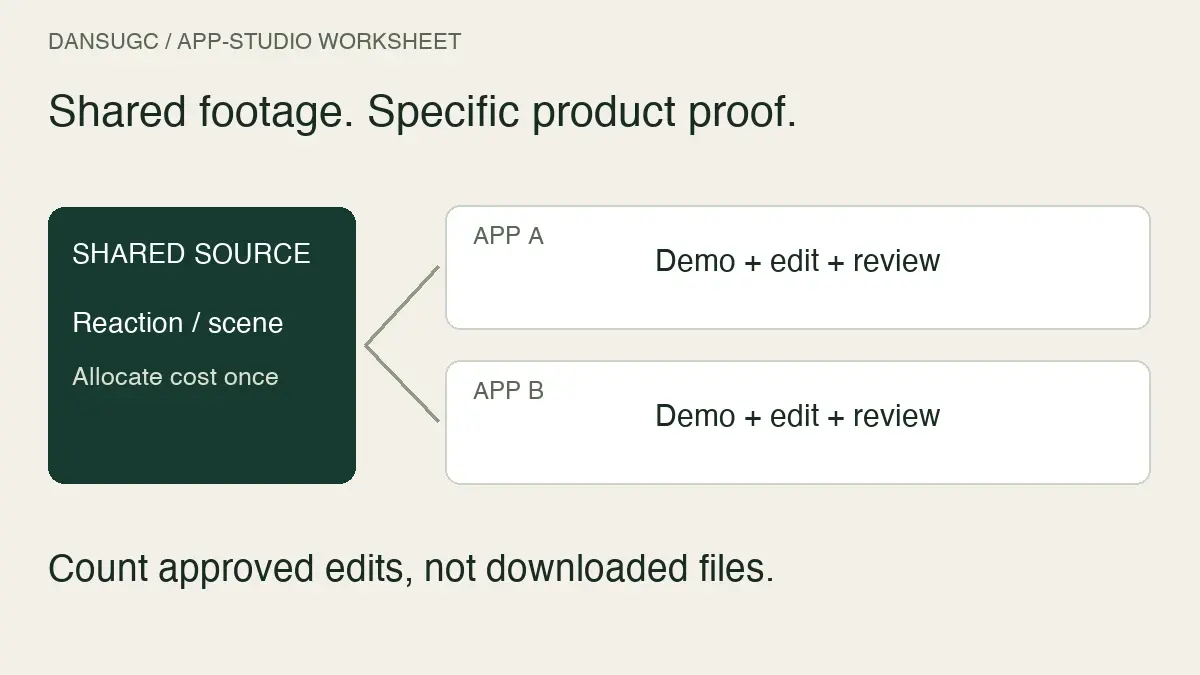
- Source assets: reactions, product shots, screen recordings, or other material used in the edit.
- Finished edits: assembled videos ready for review.
- Approved edits: finished videos that meet the agreed brief and can actually be published.
One source asset can appear in several finished edits. Several source assets can also be needed for one edit. Neither relationship establishes the cost or performance of the finished piece by itself.
Define approval before production starts. Your criteria might include a correct product demonstration, readable captions, the required export format, no private information, and an accurate call to action. Approval is a production decision. It is not evidence that the video will generate customers.
The UGC production budget formula
Use this planning formula:
Total production cost = footage or filming + editing + coordination + additional scope.
Then calculate:
Cost per approved video = total production cost ÷ approved finished videos.
Record what each line includes. Otherwise, two teams can use the same formula and still compare different things.
Footage or filming covers purchased assets or commissioned production. Editing covers the work still needed to create the final sequence. Coordination includes the time spent briefing, organizing files, reviewing work, and resolving feedback. Additional scope can include a missing scene, an agreed extra revision, or separately quoted permissions.
Do not add editing twice when a supplier already includes it. Equally, do not label internal editing “free” just because it does not appear on the supplier invoice. You can track a cash-only budget and a labor-inclusive budget side by side, provided the labels are clear.
Keep media spend separate. Buying distribution is not the same expense as producing the video. This worksheet also does not calculate customer acquisition cost or lifetime value.
Worked example: the same budget, different usable output
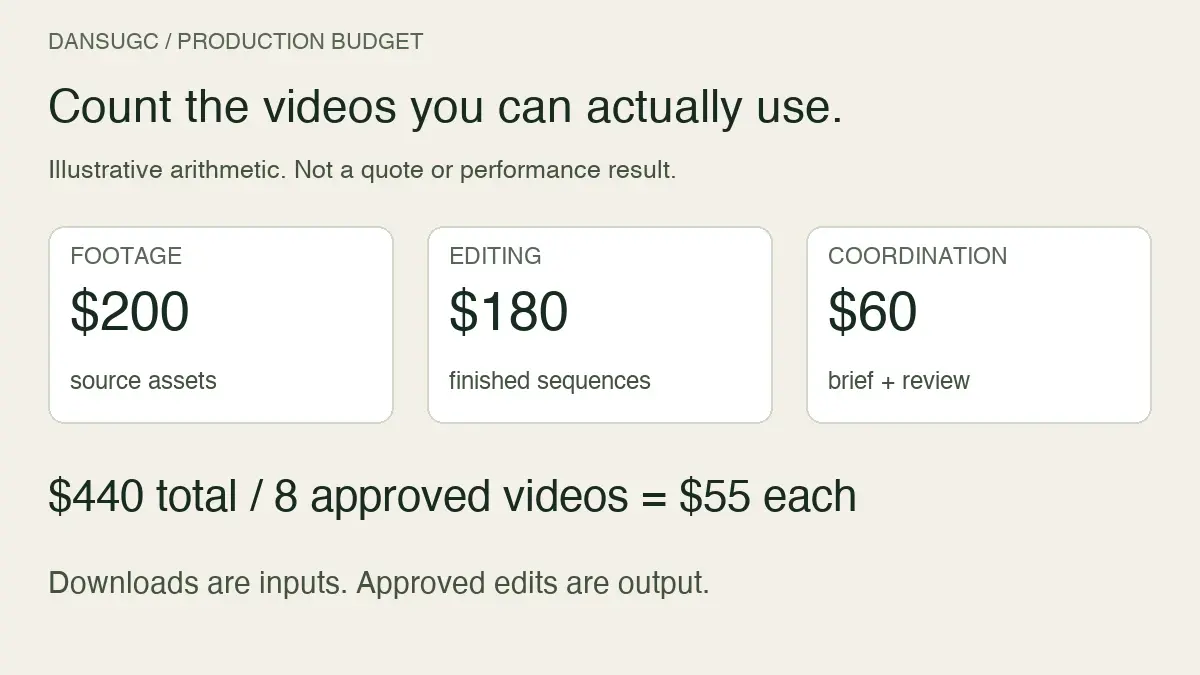
Here is a hypothetical batch, not a DansUGC quote, an industry benchmark, or a customer result:
- Footage budget: $200.
- Editing budget: $180.
- Coordination budget: $60.
- Total production budget: $440.
- Finished edits planned: 10.
If all 10 meet the brief, the production cost is $44 per approved video. If only eight meet the brief, it is $55. If only five do, it is $88.
The inputs have not changed. The amount of usable output has.
Now suppose an extra $80 of editing lets the team approve two previously rejected versions. Total production cost becomes $520. With 10 approved videos, the cost is $52 each. That is lower than $55, but the team has still spent more cash. Decide whether the extra two videos are needed before treating the lower unit cost as a win.
This is why an impressive per-file price can be a poor guide to the whole project. Budget for the path to an approved edit, including the work your own team must finish.
Copy this monthly budget worksheet
Create one row per batch. Use these fields:
- Purpose: the question, feature, or product moment the content needs to explain.
- Target output: the number of distinct finished edits needed this month.
- Existing usable footage: assets already available and appropriate for the intended use.
- Missing footage: the scenes that must be bought or filmed.
- External production cost: the scoped supplier quote or asset purchase total.
- Internal work: estimated hours for editing, briefing, review, and file management, with your chosen internal costing method.
- Additional scope: known extra work or permissions, listed separately rather than buried in a headline price.
- Approval assumption: how many finished edits you realistically expect to approve, with a note explaining the estimate.
- Planned unit cost: budget divided by expected approved edits.
- Actual unit cost: recorded cost divided by the edits that passed review.
Keep estimates and actuals in different columns. If a number is unknown, mark it unknown. A complete-looking spreadsheet built on guessed permissions or missing editing time is not a complete budget.
If you are comparing supplier offers, use the separate UGC rates and quote-comparison guide. Its dated product examples are historical snapshots; current order details take precedence. This page is about planning total production cost and reconciling it with what your team finishes.
What changes the budget most?
A specific scene that the library does not contain
An existing reaction can introduce a product problem. It cannot show your actual packaging, speak a new approved script, or demonstrate an interface that was never filmed. Identify those gaps before buying a large collection of otherwise attractive clips.
Use existing footage where it fits. Commission the missing moment when it does not. The cost of the wrong asset includes the time spent trying to force it into the edit.
An unclear boundary between editing and a reshoot
Correcting a caption is different from changing the approved script or asking a creator to film a new location. Put the review process and included revisions in the brief. Keep a record of changes requested after approval.
A contingency is a planning allowance, not a universal percentage. Base yours on the uncertainties in the actual project rather than copying a number from another team's budget.
Buying more than your team can finish
Asset supply and editing capacity are separate limits. If your team can complete eight edits this month, buying enough footage for fifty does not immediately lower this month's production cost per published video.
Reusable footage may still have future value. Record that as a separate planning assumption. Do not count future edits as completed output today or count the same purchase twice when comparing batches.
For the production-capacity side, use the monthly UGC creative planning guide.
How to review the budget after delivery
Compare the original estimate with actual spending and approved output. Ask where the difference came from: missing footage, more complex edits, unclear feedback, or a scope change.
Do not automatically solve every overrun by buying cheaper clips. If the extra work came from an inaccurate brief, the useful fix is a clearer brief. If the bottleneck was product footage, another generic reaction may not help.
Keep downstream results in a separate report. A video can meet the brief and still underperform after publication. A high-view post can also produce few relevant visits. Neither outcome changes what production cost; it changes what you should investigate before the next batch.
Frequently asked questions
What is the average UGC cost per video?
There is no market-wide average established by this guide. Compare the specific output, scope, and permitted use, then get a current quote. A source-clip price and a finished-video price are not interchangeable.
Does a cheaper clip mean a cheaper finished video?
Not necessarily. The clip may need more editing, additional product footage, or a replacement if it does not fit. Compare total production cost against the number of approved edits.
Should I divide a subscription fee by all the available videos?
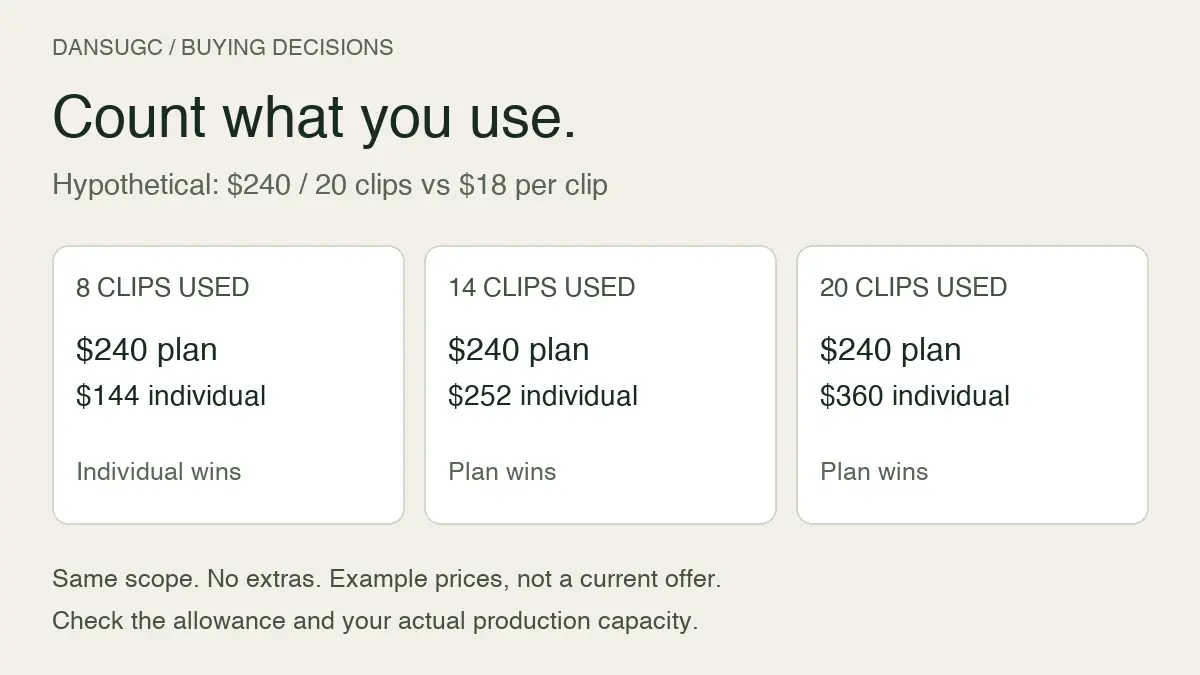
No. A catalog's size is not your usable monthly output. Budget using the actual plan terms, assets you expect to buy or use, and the editing work needed. Do not assume a funding plan includes custom filming.
Does a higher production price guarantee better results?
No. Price and production scope do not establish performance. Evaluate the content against the brief first, then measure the relevant audience and business outcomes after distribution.
Start with the missing shot
Write the output you need. Check what you already have. Then budget for the missing footage and the work between that footage and the finished video.
If an existing reaction or B-roll shot fits, browse the DansUGC library. If your product, script, or demonstration must be filmed, use the custom order route. Choose the scope first. Calculate the unit cost second.
Updated October 1, 2026. This revision removes unsupported general market-rate ranges from the earlier article. It separates current displayed DansUGC starting offers from illustrative budget arithmetic and does not promise a production or conversion outcome.
Ready to get UGC videos for your brand?
Real human creators, 48-hour delivery, full commercial rights. Starting at $9/video.