UGC costs for app studios: budget shared footage and app demos
A practical app-studio worksheet for allocating shared footage, app-specific recordings, editing, and review. Includes a clearly labeled budget example.

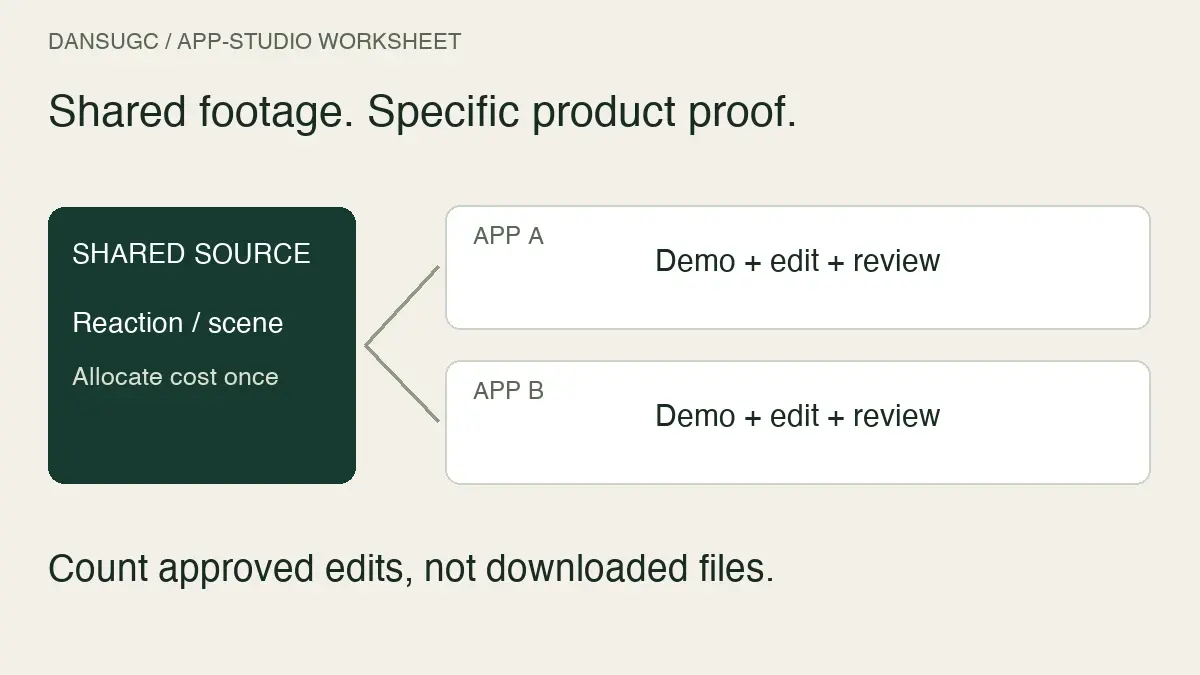
UGC costs for an app studio should be separated into shared source footage, app-specific production, and finished edits. A reaction clip that works across several concepts is not the same purchase as a creator demonstrating your app. Budget the work each product actually needs, and count approved deliverables rather than downloaded files.
I run DansUGC. My starting question for an app team is simple: what is missing from the edit? Sometimes it is a human reaction. Sometimes it is a screen recording that explains the product. Buying more of the first does not fix a missing second.
This guide is for studios producing content for multiple apps, features, or localizations. It provides a planning worksheet, not a market-price survey or a claim that one production method converts better.
Split the production budget into three buckets
Treat the budget as a map of work, not just a list of supplier invoices.
Shared source footage
This can include a generic expression, a desk scene, or another shot that fits more than one planned edit. Mark which products it actually fits and check that the agreed use covers each project.
A clip is not shared just because everyone can open the folder. A worried expression might fit a missed-deadline story but contradict an app positioned around calm, deliberate planning. Reuse still needs an editorial decision.
App-specific production
Product demonstrations, feature explanations, recorded scripts, and localized product claims belong here. Record which app, version, language, and feature each asset represents.
An editor cannot safely make an old interface current by changing a caption. If the demonstrated flow has changed, budget a new recording or choose a different sequence. Use a clean demonstration account and inspect recordings for private information before handing them off.
Assembly and approval
Include editing, captions, audio, exports, factual review, and feedback. Decide who supplies the final product footage and who checks the sequence before publication.
An invoice for source footage can be perfectly reasonable while still leaving most of this work to your team. That is a scope distinction, not evidence that the supplier is overpriced or underpriced.
For the general arithmetic, use the UGC production-budget guide. This page focuses on the extra allocation and version-control decisions that appear when one studio runs several products.
Build a product-by-deliverable worksheet
Create one row for each planned finished edit. Do not start with a target number of downloads and assume the content plan will follow.
For each row, record:
- Product and audience: the app, feature, language, and person the edit is intended to help.
- Message: one specific problem or use case the sequence explains.
- Shared shot: the source clip identifier, if an existing shot fits.
- Product proof: the screen recording or demonstration needed to support the message.
- Spoken content: approved script, creator recording, or a deliberate choice to use no spoken segment.
- Assembly owner: who turns the inputs into a finished edit.
- Review owner: who checks product accuracy and approves the output.
- Cost status: confirmed quote, internal-time estimate, or unknown.
- Delivery status: planned, waiting on footage, in edit, changes requested, or approved.
An unknown cost is not zero. Keep it visible until someone confirms it. Likewise, a file waiting on product review is not an approved output.
If suppliers need to quote the work, attach the same scope to each request. The UGC rate-card and quote checklist helps separate recording, editing, revisions, and intended use without assuming they are all included.
Allocate shared costs once
Your accounting method should be consistent enough that two people reviewing the batch reach the same total.
Record the source purchase once in the studio's batch ledger. If several apps use it, allocate that cost between them using a stated method. Equal shares can work when usage is similar. A different allocation can be useful when one app uses substantially more of the batch. The method is a management choice, not a universal industry rule.
Here is an illustrative calculation, not a DansUGC quote or customer result:
- A shared footage purchase costs $90 and is assigned equally to three app projects.
- Each app receives $30 of that shared cost, so the studio total remains $90, not $270.
- One app also needs $70 of app-specific recording and $100 of editing and review.
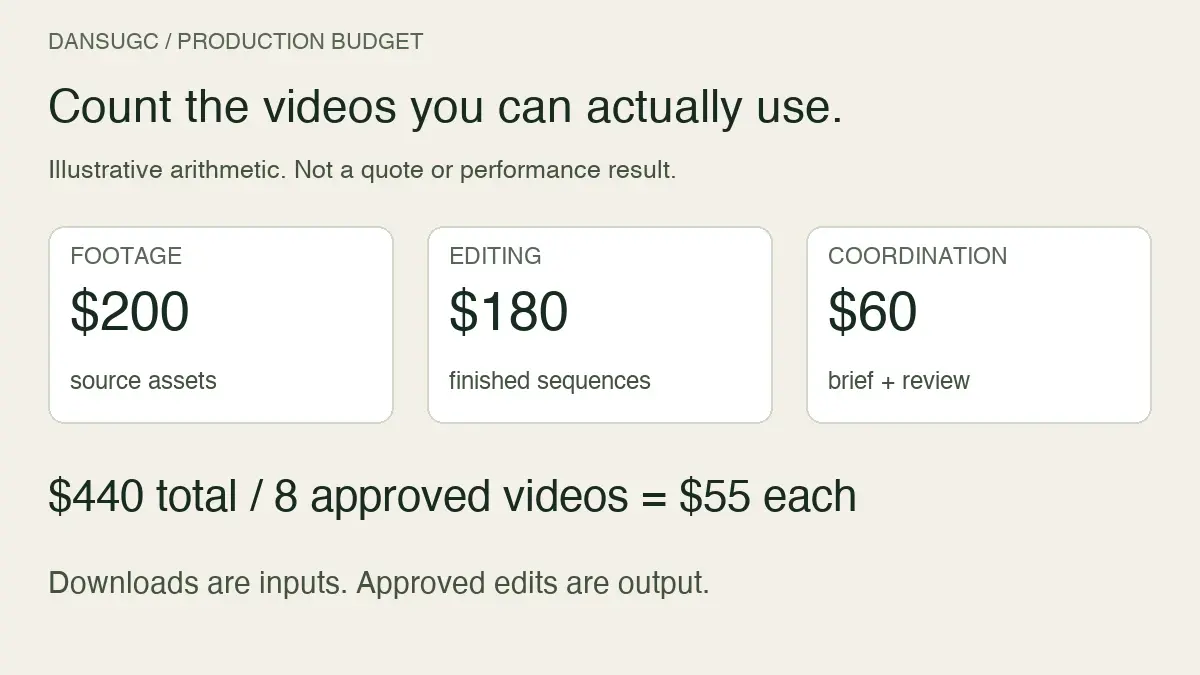
- Its allocated production total is $200. If four finished edits pass review, that is $50 per approved edit.
If only two pass, the same recorded cost is $100 per approved edit. That does not tell you whether either edit acquires a customer. It tells you how much production cost sits behind the approved output.
Keep the units explicit. A shared source clip, a finished variation, and a genuinely different concept are not interchangeable. Four exports with different captions may represent four deliverables but only one underlying concept.
Decide whether to reuse, record, or commission
Reuse when the existing shot tells the right story
Choose an existing clip when the expression, setting, and action fit the planned sequence and the permitted use is confirmed. Record its identifier in the worksheet so another editor can find the same original.
The DansUGC B-roll library is a starting point for inspecting existing footage. Make the selection against the missing shot, not against an assumed saving from a large catalog.
Record the product when the interface is the evidence
A reaction can introduce a problem. It cannot demonstrate a feature that is never shown. Supply a current screen recording when the claim depends on an actual product action.
Specify where the recording starts, what the viewer should notice, and what result is visible. Remove irrelevant navigation. Keep a note of the version checked so the team can revisit it when the interface changes.
Commission when the shot must be specific
Custom recording makes sense when a person must say particular words, perform a specific action, or interact with the product. Give the creator a clear brief and ask what the finished delivery includes.
Use the reaction-video storyboard for apps to separate the opening expression from the actual product demonstration. It is a production aid, not evidence of a guaranteed install rate.
Make product changes a budget line
A studio's content can become inaccurate before its underlying footage becomes unusable. A renamed feature, revised onboarding flow, or changed offer may affect only one part of an edit.
Keep the project modular enough to identify that part. A useful handoff includes the source clip, product recording, approved script, caption file where available, edit project, and final export. The exact files depend on the agreed production scope.
When a feature changes, mark affected edits as needing review. Identify whether the change requires a new screen recording, a new spoken line, a caption correction, or a full reshoot. Request a quote for the specific change rather than assuming it falls within the original revision allowance.
The UGC asset-management guide provides a register for linking source assets, approvals, and finished edits. For app teams, add a product-version field and a named product reviewer.
Keep production efficiency separate from business performance
You can know what an edit cost before you know what it achieved. Do not label cheap output a winner just because it was inexpensive to make.
For organic distribution, keep a record of the published post, destination link, and reporting period. For any paid distribution you run separately, record the campaign and creative identifiers. In both cases, distinguish production approval from downstream outcomes such as signups or purchases.
If a result cannot be connected reliably to an edit, leave attribution unresolved. A studio-wide revenue increase does not establish that a particular reaction clip caused it. Equally, a small number of views is not enough to establish that a more expensive recording was a bad purchase.
Use production records to find process problems you can actually observe: repeated missing recordings, time spent locating assets, unclear review ownership, or edits that require another product pass. Fix those before promising a lower acquisition cost from a cheaper supply model.
Questions app teams ask
Is there a standard UGC price for an app studio?
This guide does not establish one. Get a scoped quote for the required footage, product demonstration, editing, and use. Compare like-for-like deliverables using the rate-card checklist, not an unsupported market range.
Can the same reaction clip be used for several apps?
Potentially, if it fits each story and the relevant agreement permits those uses. Do not assume that access to a file establishes permission for every product or channel.
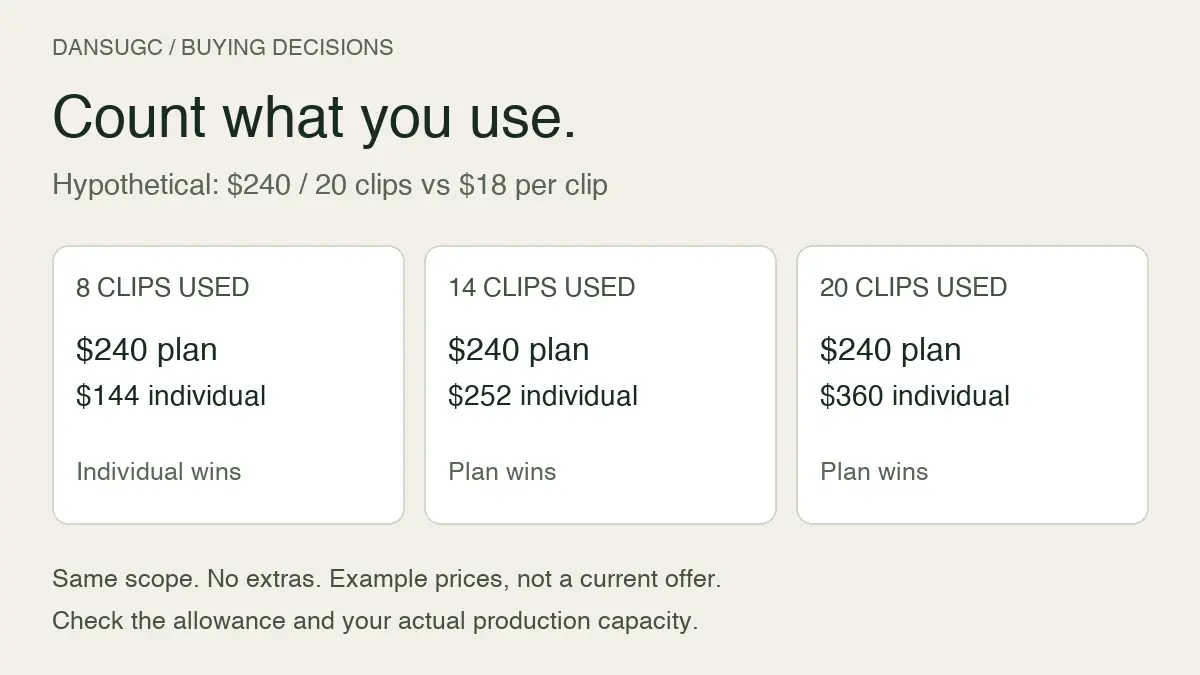
Should we divide the bill by all downloaded clips?
Only if you are explicitly measuring cost per downloaded source file. For production planning, separately report approved finished edits and the remaining work. Do not call downloads finished videos.
Is cost per approved edit the same as customer acquisition cost?
No. It is a production metric. Customer acquisition requires separate spend, customer, and attribution records for a defined period. Neither a low clip price nor a high production budget proves business performance.
Start with the next actual batch
Pick the apps and messages you plan to publish next. List the missing shots, assign product reviewers, and price the work that remains. Reuse footage where it fits; commission the parts that must be specific.
Updated October 3, 2026: this article replaces the previous $8-versus-$150 framing and unsupported market, editing-cost, rush-fee, and performance ranges with an app-studio allocation worksheet. All numbers in the worked calculation are illustrative. The original URL is retained.
Ready to get UGC videos for your brand?
Real human creators, 48-hour delivery, full commercial rights. Starting at $9/video.