Best Link in Bio for UGC Creators in 2026 (Honest Comparison)
Most UGC creators are using the wrong link-in-bio tool and losing potential clients because of it. Here's what to use instead — and why DansUGC storefronts are built specifically for this.
Your link in bio is the most important page in your UGC business. It's where brands land after they like what they see. It's where they decide whether to reach out, or quietly click away.
Most UGC creators treat it like a parking lot for random links. That's leaving money on the table.
What a UGC creator actually needs from a link-in-bio tool
Regular creators need to direct fans to YouTube, Spotify, merch. UGC creators have different requirements:
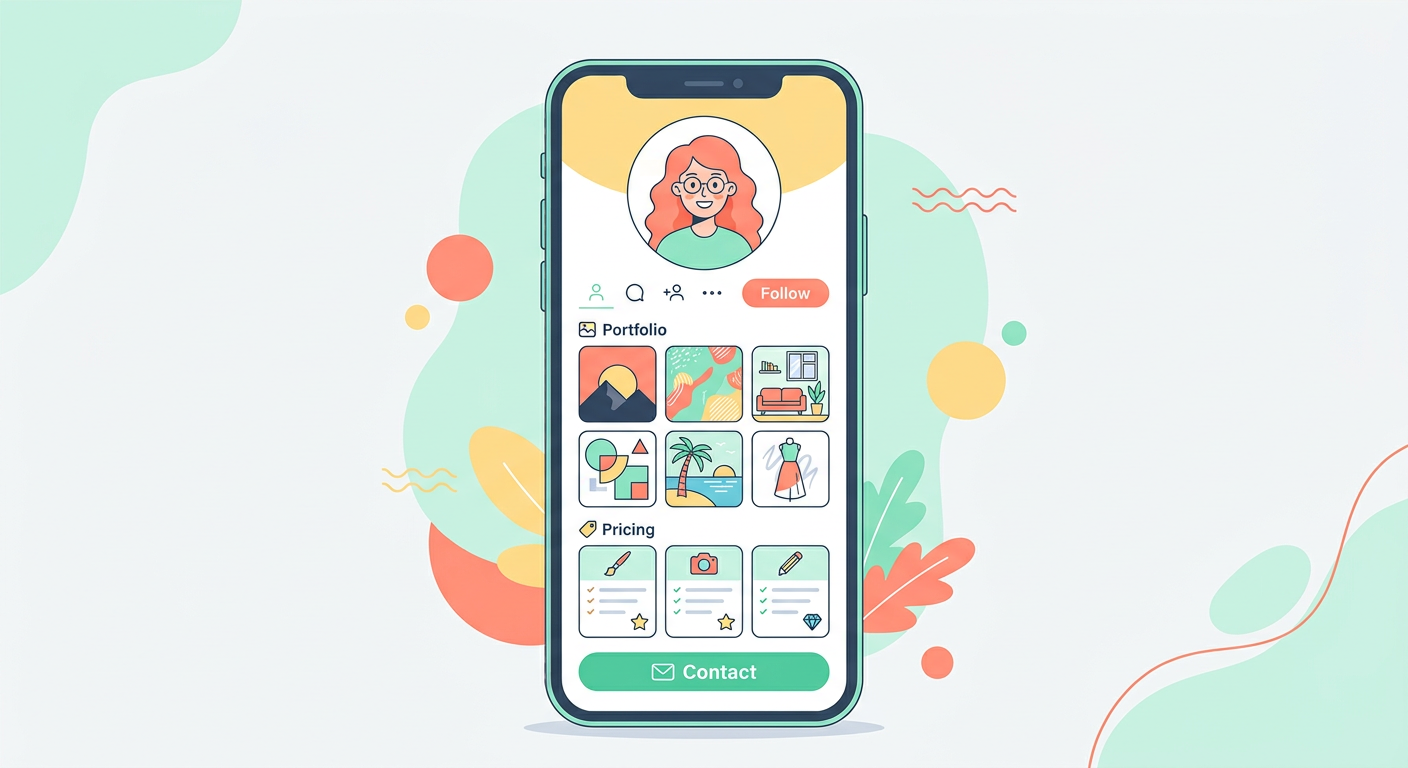
- Portfolio display, brands need to see your work before they'll pay for it
- Package pricing, clear rates so brands know what they're getting into
- Direct contact or booking, friction kills deals; make it easy to hire you
- Professional appearance, you're selling creative services, your page needs to look the part
- Analytics, you should know which platforms are sending you traffic
Most link-in-bio tools were built for fans, not buyers. That's the mismatch.
The options UGC creators actually use
Linktree
The default choice. Almost every creator has one. It does the basics, list of links, some customisation, okay analytics on paid plans.
For UGC creators, the problem is obvious the second a brand lands on it: it looks like a link list, not a business. There's no natural place to show portfolio work, no pricing structure, no reason for a brand to stay longer than two seconds.
Linktree works fine if you just need to point people somewhere. It doesn't work as a client acquisition tool.
Beacons.ai
More feature-rich than Linktree. Beacons has a media kit builder, affiliate links, and some AI tools for brand outreach. A step up for creators who want to look more professional.
A lot of UGC creators use Beacons. The issue is the same one that follows every general-purpose tool into a specialist context: it wasn't designed with UGC in mind. The portfolio section is generic. There's no concept of reaction video packages or usage rights tiers.
Stan Store
Built for creators selling digital products, courses, templates, coaching calls. If you want to sell a UGC starter guide or a content creation course alongside your services, Stan is genuinely good at that.
For pure UGC service work, filming reaction videos for brands, it's overkill in some areas and missing in others. The checkout flow is built around digital products, not service packages.
DansUGC creator storefronts (`/c/[your-name]`)
Built specifically for UGC creators selling reaction video packages to brands. The difference is in what's assumed about the visitor: a brand that's looking to buy UGC content, not a fan looking for social links.
DansUGC storefronts at `/c/[your-name]` show your work front and centre, display package options clearly, and are discoverable by brands already on the platform looking for creators. That last point matters, you're not just creating a page, you're listing yourself in a marketplace that brands actively use.
The trade-off: it's purpose-built for UGC, so if you have other creator income streams (courses, coaching, affiliate) you'd still want a separate tool for those.

What actually converts browsers into clients
After watching dozens of UGC creator profiles, what works is consistently the same:
Lead with your niche and format. Don't make brands guess what you do. "Reaction videos for consumer apps and beauty brands" in the first line beats any aesthetic.
Show 3-5 portfolio examples, not 20. Brands spend 30 seconds on your page. Your best three videos will do more than a comprehensive archive.
List prices or at least price ranges. "Starting from $150" removes a step and filters out time-wasters. Creators who hide prices lose deals to ones who are transparent.
One clear CTA. Not four buttons, one. "Book a package" or "Email me" or "Order here." The more options, the less anyone clicks.
A working contact method. This sounds obvious. You'd be surprised how many creator pages have a contact form that goes nowhere or a DM link to an account that isn't monitored.
How to pick the right tool
If you're just starting out and want something free and fast: Linktree or Beacons gets you online today. No shame in starting there.
If you're actively trying to get hired for UGC reaction video work: a DansUGC storefront puts you in front of brands that are already looking, not just brands that stumble across your profile.
If you have multiple income streams beyond UGC service work: Stan or Beacons gives you more flexibility for digital products alongside services.
Most serious UGC creators end up using two: a purpose-built storefront for brand clients, and a general tool for everything else.

Setting up your UGC creator storefront: the basics
Whichever tool you use, the setup is roughly the same:
- Profile photo and a one-line niche description (who you film for, what format)
- 3-5 portfolio clips, your best reaction videos, short and punchy
- Package options with clear pricing and deliverables
- Usage rights explained simply (brands always ask)
- Contact method, email or booking link, not just social DMs
- Links to your main social profiles so brands can verify you're real
That's the whole page. Keep it to those six things and you'll outperform 80% of UGC creator profiles out there.
Frequently asked questions
What is the best link in bio for UGC creators?
For UGC creators focused on getting hired by brands, DansUGC creator storefronts at `/c/[your-name]` are built specifically for the format, portfolio display, package pricing, and brand discoverability in one place. For creators with multiple income streams, Beacons or Stan offer more flexibility.
Do I need a link in bio as a UGC creator?
Yes. When a brand sees your content and wants to hire you, they go to your bio. If there's nothing there, or a generic list of links — most of them won't follow up. Your link in bio is your sales page.
Should I list my prices on my UGC creator page?
Yes, or at least a starting price. Brands appreciate transparency, and creators who list rates get more direct enquiries than those who say "DM for pricing." You can always negotiate up from a stated starting point.
How many portfolio videos should a UGC creator show?
Three to five. Enough to demonstrate range and quality without overwhelming the viewer. Your three best reaction videos will do more than ten average ones.
Can I use multiple link-in-bio tools at once?
Yes, and many creators do. A DansUGC storefront for brand clients, a Linktree or Beacons page for general social traffic. Keep them updated and make sure they're consistent.
---
If you're a UGC creator looking to get hired for reaction video work, the first step is a page that actually sells your services. Set up your DansUGC storefront — it takes 20 minutes and puts you in front of brands already buying UGC content.
Ready to get UGC videos for your brand?
Real human creators, 48-hour delivery, full commercial rights. Starting at $9/video.